Marketing Process Automation: What to Implement and How

TL;DR
Marketing process automation pays off when you start from business goals and data quality, not from tools. This article explains what to automate first, how to design architecture (CRM, CDP, end-to-end analytics, AI), a 90-day roadmap for implementation, and how to calculate ROI/TCO. Includes ready scenario templates and checklists.
Marketing process automation should start not with selecting platforms, but with answering two practical questions: where are we losing money in the funnel and how can we quickly turn routine work into reliable scenarios. Approached this way, marketing automation stops being a “trendy project” and becomes a growth lever: personalized communications, trigger campaigns, automated funnels, transparent end‑to‑end analytics and data discipline.
Below is a concentrated practical guide: process priorities, architecture (CRM, CDP, email/omnichannel, advertising tools, AI), implementation roadmap, ROI/TCO calculation, case studies and ready templates.
What marketing process automation is — definition and key objectives
Marketing automation is a systematic configuration of repeatable marketing and pre‑sales operations based on data and rules. The goal is revenue and efficiency growth: react faster to customer signals, reduce CAC, increase LTV through relevant touches and consistent base management.
Key objectives:
- Collect and consolidate customer data (CRM and/or CDP), unified profile.
- Configure personalized triggers: welcome, onboarding, post‑lead nurturing, repeat purchases.
- Automated funnels by segments and stages, including B2B with long sales cycles.
- End‑to‑end analytics: impact of touches on CR, CPA, CAC and LTV.
- Content management: generation, publishing, updates to cards and landing pages.
- Advertising automation: feeds, bids, audiences, exclusions.
- Data quality control: validation, deduplication, consent management (GDPR/local laws/Ministry guidelines).
Results to expect in the first 90 days: +10–25% CR in early funnel stages, −10–20% CPA in key channels, 2–4x faster lead response due to triggers and CRM tasks.
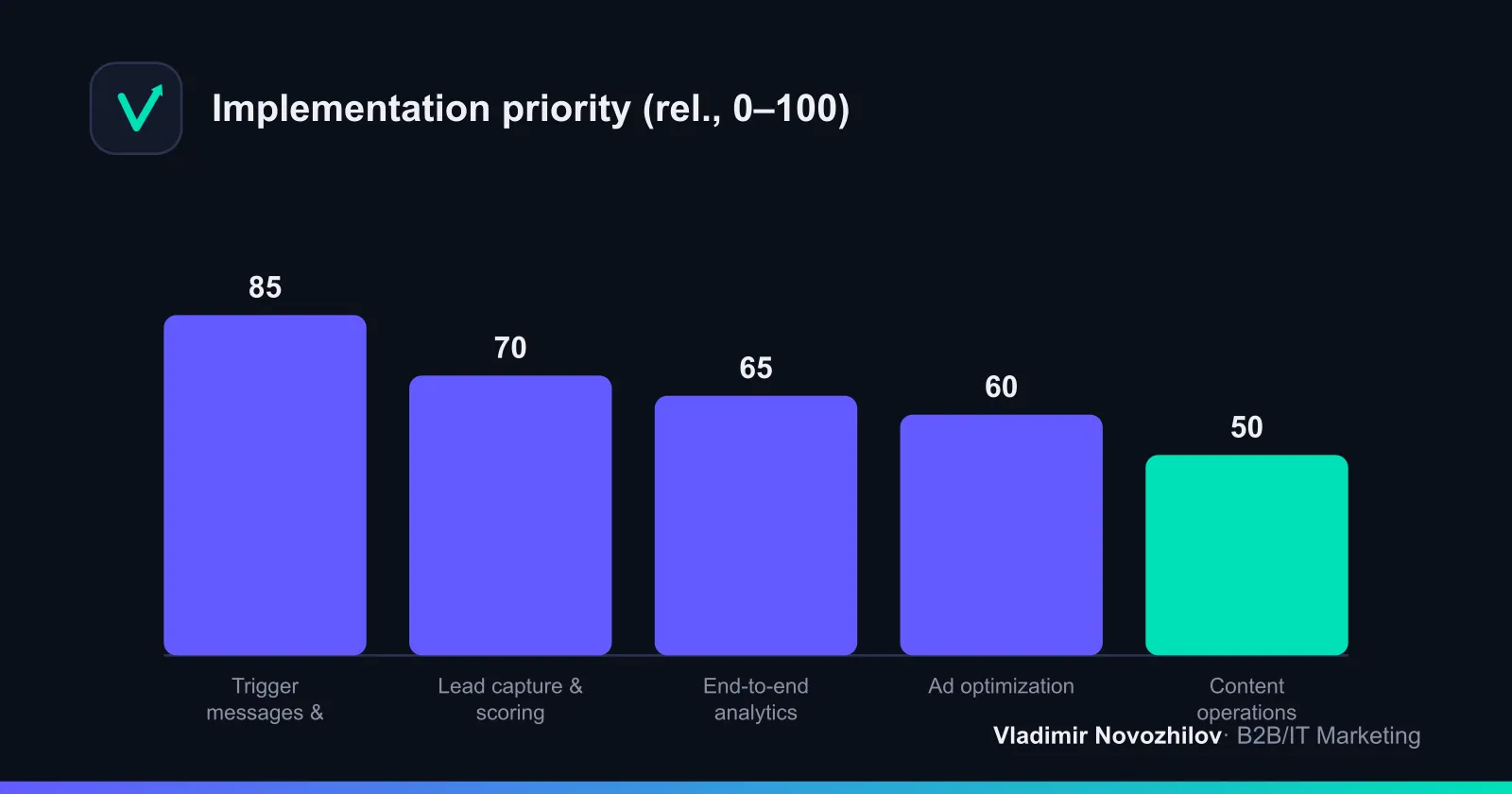
Which marketing business processes to automate first
Prioritization is simple: take processes with high repetition frequency and direct funnel impact.
Trigger communications and automated funnels (welcome, abandoned cart, onboarding)
- Welcome series: introduce value, gather preferences, warm up toward the key action (demo, consultation, trial). 2–4 messages over 7–10 days.
- Onboarding after registration/first contact: activation steps, CSI/CSAT survey, usage tips, videos/guides.
- Abandoned cart/incomplete application: remind of value/benefit, remove objections, offer help, include an easy “book a call” button.
- Post‑lead nurturing: 2–6 week journeys with case selections, ROI arguments, social proof, invitation to webinar/meeting.
Expected effect: +10–30% progression to the next step, 1.5–2x increase in responses.
Lead capture and qualification: forms, chatbots, CRM integration
- Smart forms with progressive profiling: initially email+name, later company, role, interests.
- Chatbots and feedback widgets: quick scoring on 3–5 questions, scheduling a manager slot.
- Auto lead card in CRM, email/phone validation, deduplication, source attribution.
- Lead scoring: explicit (position, industry) and behavioral signals (pages, materials, bot answers).
Content management: generation, publishing, card updates
- Generative AI in marketing — drafts and A/B variations of emails, subject lines, CTAs, plus GEO adaptation (language, timezone, local examples). Humans handle briefing and final editing.
- Publishing: schedules with timezone‑triggered campaigns, automatic feed updates.
- Card and landing updates triggered by events: prices, availability, new offers.
Tools and architecture: CRM, CDP, email platforms, advertising DSPs and AI assistants
A basic B2B/IT stack looks like:
- CRM — lead/deal tracking, tasks, communication history, SLA.
- CDP — unified profile, consolidation of events from website/product/offline, segmentation and activation to channels.
- Omnichannel communications platform — email, messengers, SMS, push, web popups, triggers.
- Advertising tools — ad accounts and DSP, feed automation, audiences, bidding rules.
- End‑to‑end analytics — stitching sources/channels with CRM entries and revenue/margin.
- AI assistants — content generation, recommendations, classification of requests, lead prioritization.
CRM vs CDP in short:
- CRM — the “operational center” for sales/service. Data is often contact‑centric and static.
- CDP — “real‑time data and activation”: it unifies events, builds segments and sends them to channels.
Comparison table of platforms (features / integrations / cost / who it’s for)
| Category | Key features | Integrations | Approx. cost/mo. | For whom |
|---|---|---|---|---|
| CRM | Leads, deals, tasks, SLA, reporting | Email, telephony, website, BI | From basic to enterprise tiers | B2B of all sizes |
| CDP | Unified ID, event capture, segments, personalization | CRM, website/app, email, ads | Mid+ budgets, depends on data volume | Mid/large business, omnichannel |
| Omnichannel (email/messengers/SMS) | Triggers, journeys, A/B, dynamic content | CRM/CDP, web forms, e‑commerce | From starter to advanced plans | SMB, pilots in enterprise |
| End‑to‑end analytics | Attribution, dashboards, API to CRM/BI | Ads, web analytics, CRM | From mid budgets | Teams with paid traffic |
| DSP/ads | Bid management, feeds, audiences | Ad networks, CDP | Depends on traffic volume | Mid/large business |
| AI assistants | Generation, classification, recommendations | Connect to DWH/CRM | From token/license payments | Teams ready for A/B and editing |
GEO notes on availability: some foreign DSPs and messenger providers are restricted in Russia; the EU has strict rules on personal data storage. When choosing, verify server locations and local data centers.
Step‑by‑step implementation roadmap (RACI, timelines, phases)
A “90 days to first steady results” roadmap:
- Weeks 1–2. Goals, metrics and funnel
- Record business goals (revenue/margin), product goals (activation), marketing goals (CR, CPA, share of automated touches).
- Map the current funnel and find choke points (CR drops, slow response, manual ops).
- Weeks 2–4. Architecture and data
- Choose a minimal stack: CRM + omnichannel + end‑to‑end analytics; add CDP if real‑time and advanced personalization are required.
- Conduct data audit and cleansing: validation, deduplication, consent statuses.
- Weeks 3–6. Integrations and initial scenarios
- API integrations between CRM/CDP/communication tools, set up identifiers, sources, UTM tracking.
- Launch 3–4 scenarios: welcome, onboarding, abandoned application/cart, post‑lead nurture.
- Weeks 6–9. Analytics, RPS and SLAs
- Configure end‑to‑end analytics, attribution, basic dashboards for CR/CPA/CAC/LTV.
- Introduce SLAs for lead handling and mailing incidents, record escalation channels.
- Weeks 9–12. A/B optimization and scaling
- Hypotheses for segments, content and frequency; add “smart” triggers and personalization.
- Prepare expansion plan: new channels, scenarios, CDP/AI models.
RACI (example):
| Phase | R (doer) | A (accountable) | C (consulted) | I (informed) |
|---|---|---|---|---|
| Goals and metrics | Marketing analyst | Head of marketing | Sales, finance | Executive team |
| Stack architecture | System architect | IT director | Security, marketing | Executive team |
| Integrations (API/ETL) | Integrator/developer | IT director | Platform vendors | Business |
| Scenarios and content | CRM/marketer | Head of marketing | Sales, support | Business |
| End‑to‑end analytics | BI analyst | Head of marketing | IT | Business |
| SLAs and processes | Operations manager | Head of CX | IT security | All departments |
Technical integration scheme: API, ETL, end‑to‑end analytics
Principle: website/product events go to CDP/communications, lead statuses live in CRM, and revenue/margin go into analytics and back to the CDP for segmentation.
Basic flow:
- Event trackers (viewed_page, submitted_form) → CDP/DWH.
- Forms/bot connector → CRM (create lead with UTM and source).
- CDP → omnichannel (event/segment triggers).
- CRM statuses → CDP/analytics (SQL, WON/LOST, amounts).
- End‑to‑end analytics → dashboards for CR, CPA, CAC, LTV by sources and campaigns.
Example API sequence (pseudo):
POST /forms/lead {email, phone, utm, consent}
→ CRM: createLead
→ CDP: upsertProfile (email, phone, attributes)
→ Events: track("submitted_form", profileId)
→ Journey: trigger("welcome", profileId)
→ CRM: taskAssign(managerId, leadId)
ETL integrations: pull deal statuses and transactions every N minutes to calculate LTV and close attribution. Check retries and deduplication of events, otherwise reports will break.
End‑to‑end analytics: fix the attribution model, currency units (RUB/EUR), exchange rates, VAT. This is the basis for correct CAC, CPA and ROI.
Evaluating effectiveness: metrics (LTV, CAC, CPA, CR), KPIs and ROI calculation
Key formulas:
- LTV = Average revenue per customer over period × Average retention duration × Margin.
- CAC = (Advertising + Salaries + Tools + Support) / Number of new customers.
- CPA = Campaign cost / Number of target actions.
- ROI of automation = (Incremental margin − TCO) / TCO.
- TCO (total cost of ownership) = Licenses + Integrations + Infrastructure + Support/team.
Calculator template (example):
| Metric | Before | After (3 mo.) | Delta |
|---|---|---|---|
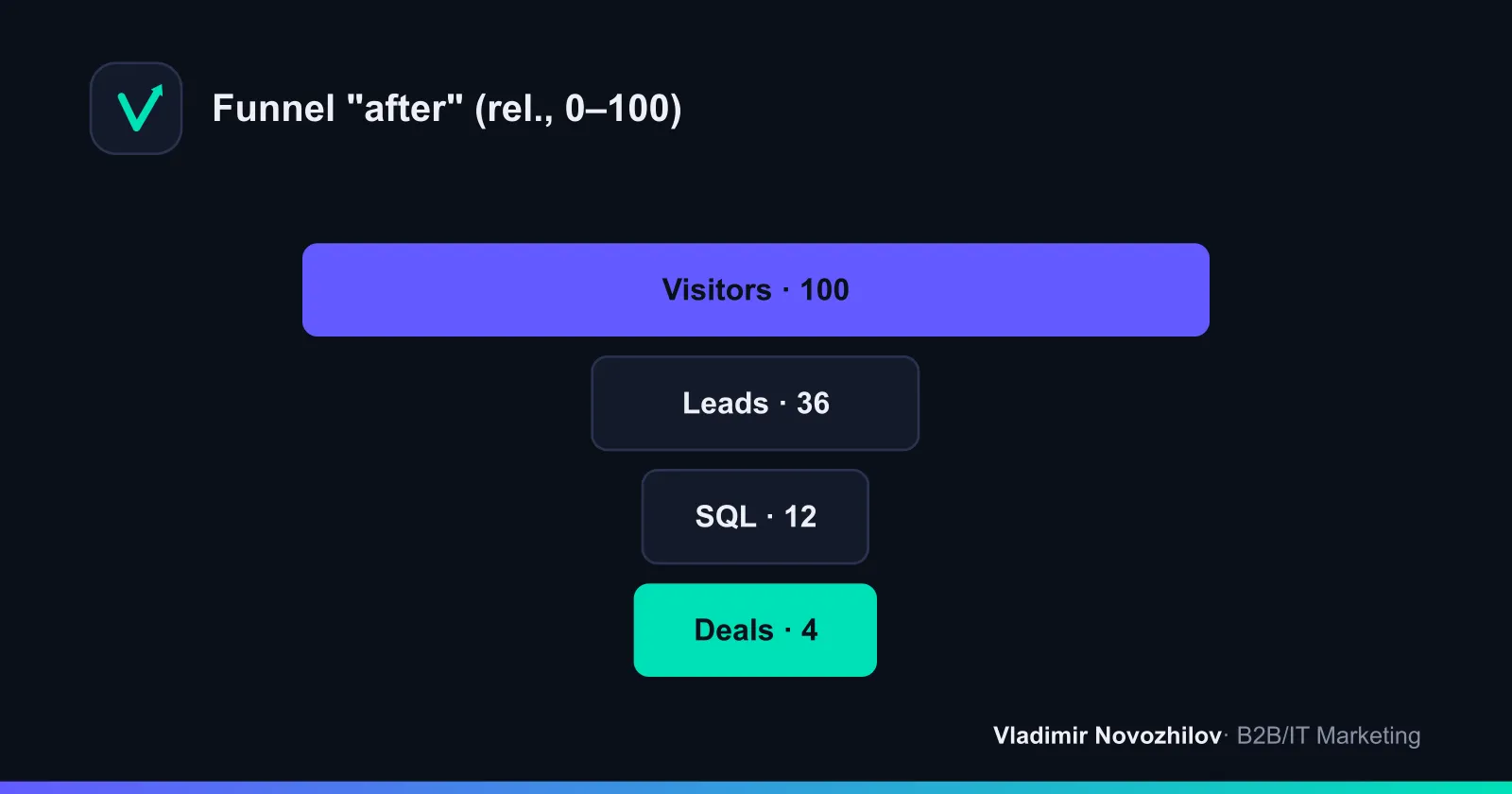
| Leads/mo. | 1 000 | 1 150 | +150 |
| CR lead→SQL | 10% | 12% | +2 pp |
| CR SQL→deal | 25% | 28% | +3 pp |
| Average check, ₽ | 200 000 | 200 000 | 0 |
| Margin | 40% | 40% | 0 |
| Additional deals/mo. | 25 | 32 | +7 |
| Additional margin/mo., ₽ | 2 000 000 | 2 560 000 | +560 000 |
| TCO/mo., ₽ | — | 180 000 | — |
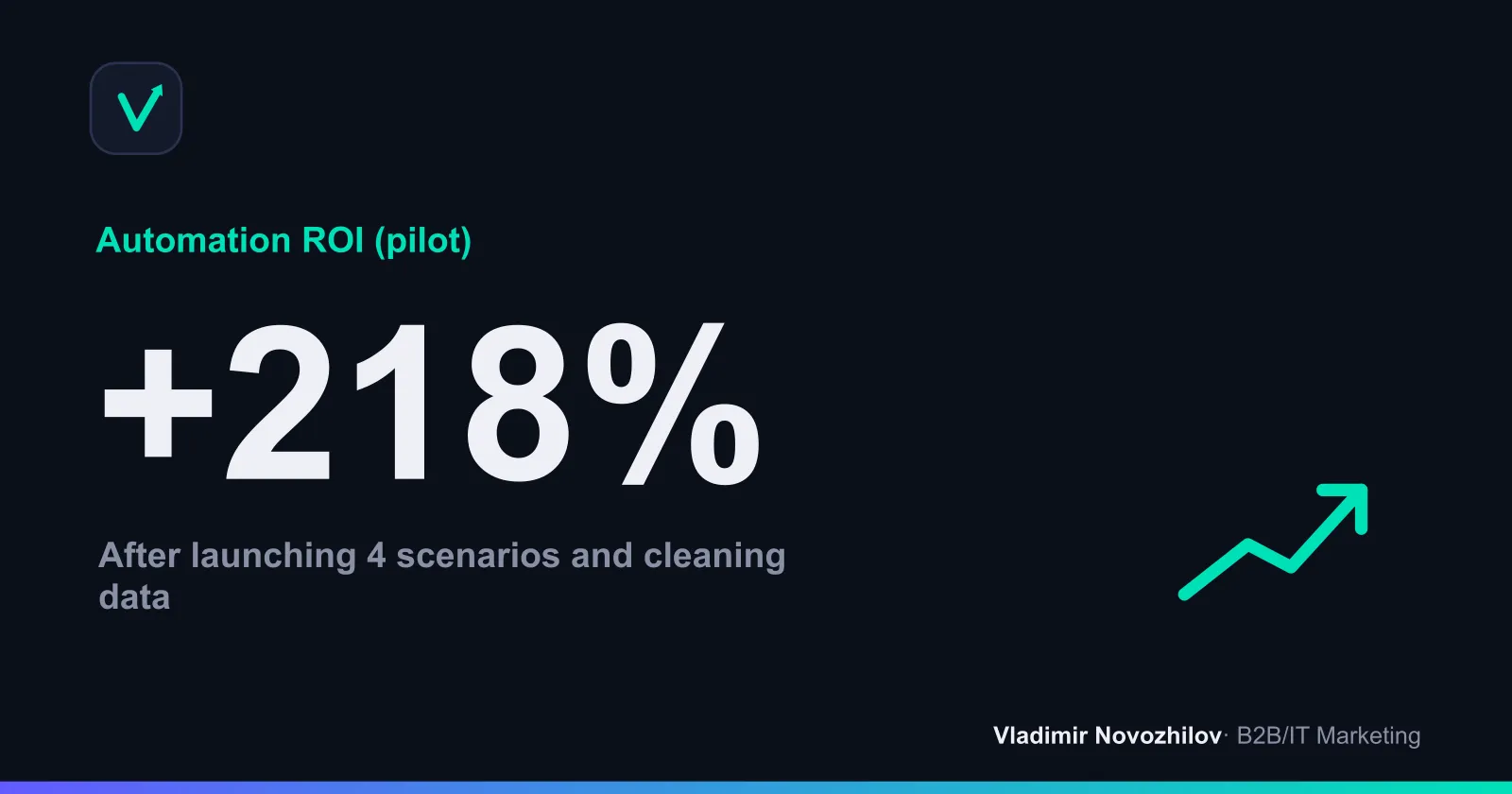
| ROI | — | (560 000 − 180 000) / 180 000 = 2.11 | 211% |
Measurement tips:
- Establish a baseline for 8–12 weeks before launch and compare before/after cohorts.
- Decompose the effect: share of automated touches in won deals, response speed, CR growth at each stage.
- Review hypotheses and A/B results every 2 weeks.
Implementation mistakes and how to avoid them (quality control checklist)
- Automation without goals and metrics. Fix: KPIs for CR/CAC/LTV and SLAs in CRM.
- Overly complex scenarios at the start. Fix: begin with 3–4 simple funnels.
- Dirty data. Fix: validation, deduplication, master identifier, consent audit.
- Tools without integration. Fix: unified customer identifier and regular ETL.
- Relying solely on templates. Fix: A/B tests and editorial review, especially with generative AI.
- No accountable owner. Fix: RACI and process owner.
- Ignoring GEO. Fix: localize copy, timing and data storage rules.
Case studies: 2–3 implementation examples with starting data and results
Case 1. B2B IT integrator (average check 1.5 mln ₽)
- Before: 800 leads/quarter, CR lead→SQL 9%, SQL→deal 22%, first response time — 18 hours, CAC 120k ₽.
- Implementation: CRM discipline, welcome+onboarding, post‑lead nurturing, SLA 2 hours, end‑to‑end analytics by source.
- Result (90 days): CR lead→SQL 12% (+3 pp), SQL→deal 25% (+3 pp), response time 2 hours, CAC −14%, share of deals with auto touches 68%.
Case 2. B2B educational services (L&D subscription)
- Before: webinar registrations without nurturing, manual mailings, no CDP.
- Implementation: CDP for profiling, funnel “webinar→trial module→meeting”, industry personalization, AI content recommender.
- Result (120 days): conversion from registrations to meetings +24%, repeat purchases +17%, LTV +12% due to upsell.
Case 3. B2B e‑commerce (components)
- Before: high cart dropoff, no reminders or price updates, CPA rising.
- Implementation: triggers for abandoned cart and availability/price changes, feed integration, retargeting via CDP.
- Result (60 days): cart returns +31%, cart→payment CR +9 pp, CPA −18%.
Practical templates: message scenarios, checklists, SLAs, contract fragments
Scenario templates (skeletons):
- Welcome (3 touches, 7 days)
- Day 0: “Welcome + 1 key benefit + 1 CTA (demo/cases)”.
- Day 3: “Short getting‑started guide + interest choices”.
- Day 7: “Case with metrics + invitation to consultation/webinar”.
- Onboarding after registration (4 touches, 14 days)
- D0: “Steps 1–2, 2‑minute video, activation button”.
- D4: “Implementation checklist, calendar of slots”.
- D9: “Answers to common objections, short question form”.
- D14: “Progress summary, invitation to strategic session”.
- Abandoned cart/incomplete application (2–3 touches, 72 hours)
- +2 hours: “Reminder — your application is almost ready, manager support available”.
- +24 hours: “Answers to objections, benefits of ownership/implementation”.
- +72 hours: “Last call, limited availability/slot”.
- Post‑lead nurture (up to 6 weeks)
- Weeks 1–2: “Industry cases + ROI”.
- Weeks 3–4: “Typical risks and how we mitigate them (SLA/security)”.
- Weeks 5–6: “Total cost of ownership (TCO), joint pilot plan”.
Data quality checklist
- Forms: required fields, validation, consents.
- Identifier: unified profile key (email/phone/ID), deduplication.
- Sources: correct UTM and referrer mapping into CRM/CDP.
- Consents/unsubscribes: store statuses, audit logs, date/source of consent.
- Storage: local requirements (152‑FZ, GDPR), encryption, backups.
SLA template (fragment)
| Area | Metric | Target | Measurement | Escalation |
|---|---|---|---|---|
| Lead handling | Time to first response | ≤ 2 hours (business hours) | CRM report | Manager → Head of Sales |
| Mailings | Sending availability | ≥ 99.5% | Provider logs | Marketing → IT |
| Data incidents | Response time | ≤ 4 hours | Service desk | IT → Security |
| Data quality | Share of duplicates | ≤ 2% | DWH report | Analyst → IT |
KPIs for marketing/journeys
- CR by funnel stages (lead→SQL→deal), CPA and CAC by source.
- Share of automated touches in won deals.
- Lead handling speed, consent rate for communications.
- Opens/clicks/replies for triggers, unsubscribes, complaints.
GEO and regulations: localization, certification and data security requirements
- Message localization: language, timezones, local cases. Plan timezone‑triggers by region.
- Service availability: check whether omnichannel/advertising providers are restricted in your country. Use local alternatives or on‑premise solutions if necessary.
- Storage and processing of personal data:
- Russia — localization of personal data, requirements of 152‑FZ and agency guidelines; consider certification practices and server location disclosures.
- EU — GDPR: legal bases (consent/legitimate interest), data processing agreements, DPIA for high‑risk operations.
- Subject rights processes: data export/deletion on request, access audit, consent logging.
- Documentation: architecture diagrams, system register, ROPA (for EU), internal policies and staff training.
Optimization and marketing automation with AI
- Generative AI: speed up content prep, but enforce editorial standards; A/B test outputs.
- Request classification: auto‑assign priorities and routing.
- Recommendation blocks: personalized offers in emails and on site based on behavioral segments from CDP.
- Quality control: human gate review before sending, version logging, tone limitations.
Conclusion. Marketing automation is not “pressing a button” — it’s about data maturity and process discipline. Start with priorities, increase transparency of LTV/CAC through end‑to‑end analytics, enable 3–4 scenarios, and only then expand the stack (CDP, AI). This approach yields positive ROI within a 1–3 month pilot horizon and builds a foundation for scaling.
FAQ
- Which marketing processes should be automated first and why?
- Start with trigger communications and automated funnels for the most revenue-generating segments (welcome, onboarding, post‑lead nurturing), then focus on lead capture and qualification (forms, chatbots, CRM integration) and end-to-end analytics. These blocks deliver quick improvements in conversion rate and response speed, and provide transparency for LTV and CAC to support management decisions.
- How much time and budget does a typical marketing automation implementation take?
- Pilot in 90 days: 6–12 weeks for architecture, integrations and 3–4 scenarios, then 4–6 weeks for optimization. Budget depends on region and stack: from several hundred thousand to several million rubles for licenses and integration, plus internal team costs. It’s important to calculate TCO upfront: licenses + integrations + infrastructure + support.
- Do you need both CRM and CDP at once — what’s the difference and when to choose which?
- CRM is for operational sales and service work (deals, tasks, communications). CDP is for a unified customer profile and personalization across channels. In B2B, teams often start with CRM and basic segmentation, adding a CDP as the database, omnichannel needs and personalization complexity grow. If you have many channels and need real‑time personalization, a CDP will pay off faster.
- How to calculate ROI of automation and which metrics to track?
- ROI = (incremental margin − TCO) / TCO. Minimum metrics set: LTV, CAC, CPA, conversion rates by funnel stage, response speed, engagement in journeys, share of automated touches in closed deals. Establish a baseline before implementation and compare cohorts after launch — this gives a correct effect rather than one‑off spikes.
- How to account for regional requirements and certification during implementation?
- Clarify requirements for storage and processing of personal data: for Russia — localization and Federal Law 152‑FZ, Ministry of Digital guidelines; for the EU — GDPR and data processing agreements. Verify physical locations of vendor servers and document this in contracts and SLAs. Set up processes for data deletion and export on user request and audit access logs.