How to Create Ads with AI: Process and Templates
TL;DR
A practical process for creating ads with AI: brief, references, image and copy generation, format adaptation, QA and launch. Includes ready prompts, templates, moderation tables, a formula for number of A/B test variants and analysis of CTR, CPA and ROAS.
What is advertising via AI and when to use it
AI helps speed up creative production and reduce testing costs without losing quality. If you’re wondering how to create advertising with AI in a real business process, the answer is to integrate it into short cycles: brief → references → image and copy generation → assembling formats → QA → upload → A/B test → iterations. In B2B, IT and services this is appropriate when you need to quickly test multiple offers and visual approaches under limited budget and time.
Suitable when:
- you need 3–5 hypotheses per week and transparent A/B testing;
- you have brand frames (colors, fonts) but allow experimentation in presentation;
- production costs and studio/shoot time are high.
Not suitable when:
- legal requirements mandate real shooting (medical cases with doctors, government services);
- brand guides prohibit synthetic images;
- the product is unique with no analogs — it’s hard to find correct references.
Quick guide — 7 steps from brief to creative
- Formulate the task on one page and agree success criteria. 2) Collect 3–5 winning references from your niche. 3) Generate 6–12 images in two directions (product/lifestyle). 4) Produce 10–20 headlines and 5–10 CTAs. 5) Assemble 3–5 layouts for 1:1, 9:16 and 16:9. 6) Run the QA checklist. 7) Upload to ad accounts and start an A/B test for 7–14 days.
Brief template (downloadable) — what to specify before generation
Copy into .md or .doc and fill in:
- Business goal of the campaign: leads/trial requests/webinar/demo.
- Target audience: positions/industries/countries/pain points.
- Offer: benefit, deadline, proof (cases/figures).
- Tone and style: formal, friendly; bans (violence, children, medical etc.).
- Visual frame: colors, fonts, composition, logo, text share ≤20% of image.
- USP/messages: 3–5 statements.
- Geo and language: RU/KZ/UA/EU, currency, legal phrases.
- KPI and metrics: CTR, CPA, CPM, ROAS, traffic volume.
- Formats: 1:1, 9:16, 16:9, static/video, max file size.
- References: 3–5 links/screenshots of winners (describe in words if no links).
Winner analysis: how to prepare references and extract patterns
- Look for recurring compositions: large subject, contrasting background, minimal small text.
- Log “hooks”: numbers in headline, benefit in first 2–3 words, clear CTA.
- Note authentic industry symbols (equipment, interfaces, usage context).
- For B2B — screenshot simplification: 1 main screen, no small UI.
Write a “pattern list”: composition, color, scene type, headline length, CTA style. This will speed prompt design.
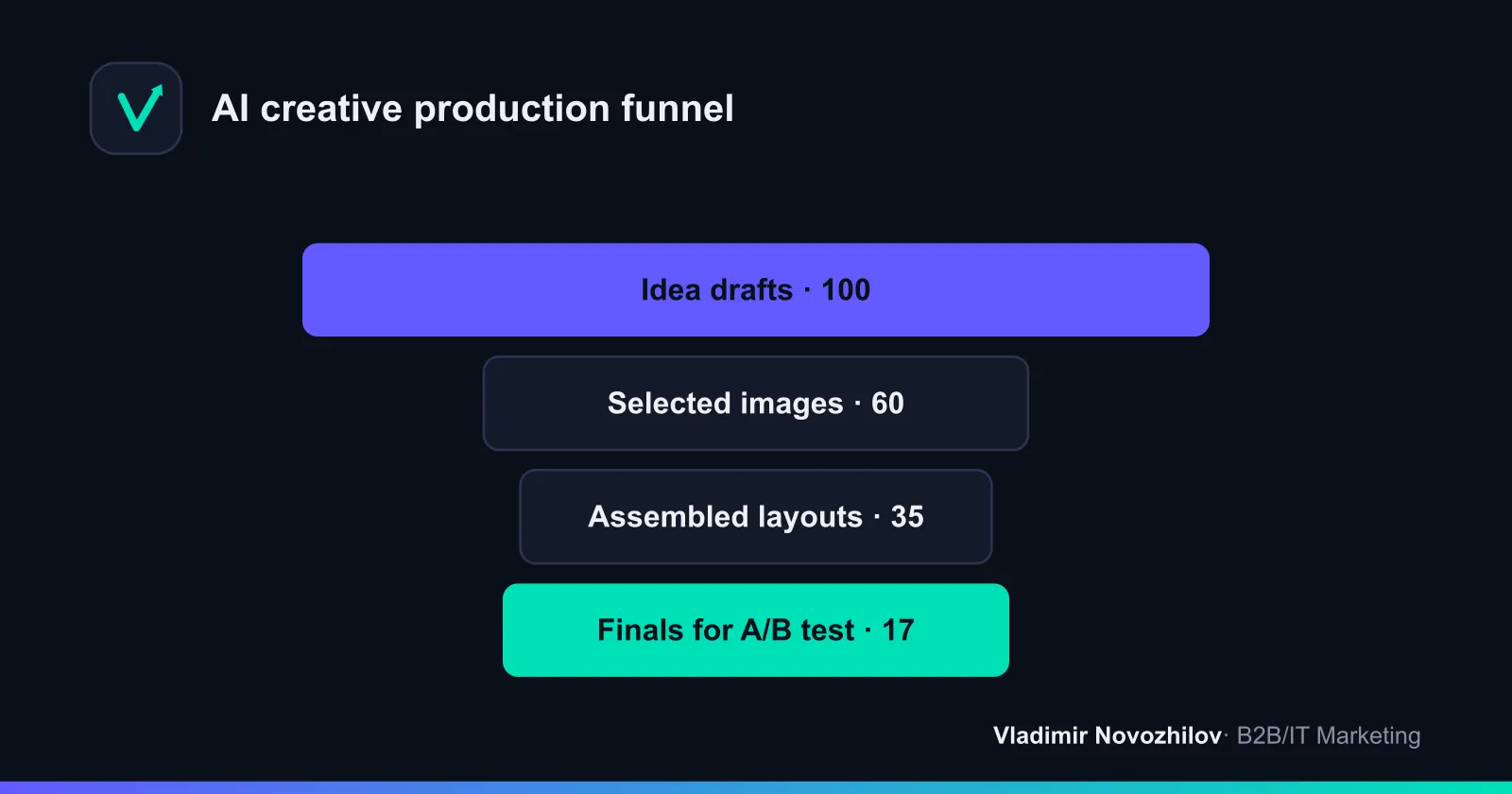
Image generation — prompt structure + 6 copyable examples
Prompt structure (images):
- Scene/context + angle + main object (size in frame).
- Light/color/mood + background (plain/gradient/interior).
- Brand attributes (without naming third‑party TMs), allowed colors.
- Frame format (1:1/9:16/16:9), composition (rule of thirds/center), negative prompt (bans).
Copy and adapt:
-
Product, neutral background: “Close‑up of [product] on a clean matte background, soft studio light, realistic shadows, emphasis on material [material], 45° angle, centered, brand color palette [colors], format 1:1; no third‑party logos, no text, no people”
-
Product in use: “[Product] used in context [scene], hand in frame, natural daylight, shallow depth of field, rule of thirds, format 16:9; ban: distorted fingers, extra objects, third‑party branding”
-
Lifestyle‑B2B: “[Role] uses [service/device] in a modern office, morning light, neutral interior, calm colors, center‑left composition, format 9:16; no legible logos, no on‑screen text”
-
Abstract background for offer: “Smooth gradient [brand colors], soft shapes, light volume, empty space for headline at the top, format 1:1; no ornaments, no noise”
-
Technical macro shot: “Macro shot of [device/material] detail, diagonal composition, high‑contrast lighting, format 16:9; ban: extra artifacts, skin textures”
-
Promotional banner background: “Dynamic background with diagonal lines in palette [brand colors], high‑contrast zone for CTA on the right, format 9:16; no text, no logos, no people”
Generating copy for creatives — prompt templates and microcopy
Headline prompt (copy): “You are a B2B copywriter. Give 20 headline variants up to 6–8 words for the offer: [offer]. Tone: business, clear. Avoid clickbait, numbers only if verifiable. Return as a list without numbering.”
CTA prompt: “Generate 15 CTAs of 2–3 words for the action [goal: demo/quote/request], avoid blunt imperatives for EU, neutral tone.”
Microcopy on image:
- Length: up to 12–16 characters per line (mobile), no more than 3 lines.
- Contrast: background L* difference > 40 on Lab scale.
- Legal tails: small font > 12 px, not on a gradient.
Asset assembly and format adaptation (1:1, 9:16, 16:9) — checklist
- 1:1 — universal, text top/left, subject large; logo ≤5% area.
- 9:16 — vertical: headline in upper third, CTA at bottom, safe zones for stories.
- 16:9 — horizontal: subject left, text right, account for preview crop.
- Text ≤20% area, kerning/leading per brand, avoid ultra‑thin weights.
- Export: PNG for statics, MP4 for video, bitrate and weight per platform limits.
Before/after (common mistakes):
- Before: long headline on gradient, small font, low contrast. After: 6–8 words, high‑contrast, artifact check at 200%.
- Before: unfocused composition. After: one main object, rule of thirds, simplified background.
Tools and comparison (table): capabilities, price, localization, limitations
| Instrument | What it generates | Languages/localization | Price indicator | Moderation notes |
|---|---|---|---|---|
| Яндекс.ИИ‑редактор креативов | Images, format adaptation, animation | RU interface | Part of ecosystem, basic features — free | Has a list of prohibited topics, be careful with med topics and children |
| Midjourney/FLUX‑like | Photorealistic/stylized images | Commands in EN, works with RU prompts | Subscription | Beware of recognizable faces/logos |
| Runway/analog | Short video, text‑in‑video | EN interface | Subscription | Check scenes for platform compliance |
| Claude/ChatGPT/YandexGPT | Copy: headlines, CTAs, scripts | RU/EN | Free and PRO plans available | Exclude clickbait and unverified claims |
| Creative Hub (Meta) | Previews and variations, library | Multilingual | Free | Consider Meta advertising rules per topic |
| VK / myTarget tools | Quick assembly, auto‑adaptation | RU | Included in ad accounts | Strict rules on politics and alcohol |
Quality check before upload — QA checklist and common fail patterns
QA checklist:
- Readability: contrast ≥4.5:1, font size ≥28 px (mobile).
- Integrity: no artifacts (fingers, textures, extra logos, watermarks).
- Brief compliance: offer, CTA, brand colors respected.
- Legal footers: currency and GEO terms, correct contact details.
- Technical requirements: format, weight, safe zones.
- Uniqueness: reference is guidance, but composition must be original.
Common failures:
- Too much small text on the image.
- Realistic faces without rights/consents.
- Anatomical errors that cause distrust and rejections.
Uploading to ad platforms and test campaign structure
Recommendation for test structure:
- One campaign per platform.
- One ad set per hypothesis (3–5 creatives inside).
- Distribute budget evenly for the first 3–5 days, then reallocate manually to winners.
Structure template:
- Campaign: “Lead‑magnet B2B | RU | Statics”
- Group A: Offer “ROI calculator” — 4 creatives (1:1, 9:16, 16:9)
- Group B: Offer “15‑min demo” — 4 creatives
- Group C: Offer “20% discount until …” — 3 creatives
Test video ads separately. For Meta (Facebook/Instagram) use Creative Hub for previews. In Yandex.Direct and VK/myTarget watch for topic and layout restrictions.
Monitoring and A/B testing: how to run and when to scale
- Duration: 7–14 days or 100 clicks per creative.
- Metrics: CTR for clickability, CPA/CPM for procurement efficiency, ROAS for revenue.
- Stop rules: pause bottom 30% by CTR by day 5–7; scale creatives with best CPA and sufficient stats.
- Iterations: change one parameter per cycle — visual or copy, not both at once.
Static “calculator” for creative variants:
- ~100 clicks needed per variant.
- Required impressions I = 100 / CTR.
- Cost per variant = I × CPM / 1000.
- Number of variants = Budget / Cost per variant.
Example: CTR 1%, CPM 200 RUB, budget 20,000 RUB. I=10,000; cost=2,000 RUB; variants ≈10.
Table of examples:
| CTR | CPM, RUB | Cost per variant, RUB | Variants with 30,000 RUB budget |
|---|---|---|---|
| 0.7% | 250 | ~3,571 | 8 |
| 1.0% | 200 | 2,000 | 15 |
| 1.5% | 220 | ~1,467 | 20 |
Legal and moderation constraints by GEO (Yandex, Meta, Google etc.)
General: prohibited are misleading promises, shock content, third‑party TMs/faces without rights. Medicine, finance, politics have special requirements.
- RU (Yandex.Direct, VK/myTarget): correct company details/legal phrases are required for offers, be careful with medicine/alcohol/politics; child topics are strict.
- UA/KZ: localize UI language and ads; avoid political topics; use local currency and contact formats.
- EU/Meta/Google: more restrictions on personalization, avoid aggressive imperatives in CTAs; add disclaimers for comparative claims.
CTA examples by GEO:
- RU: “Получить демо”, “Скачать расчёт”.
- KZ: “Запросить демонстрацию”, “Скачать предложение”.
- UA: “Замовити демо”, “Завантажити кейс”.
- EU: “Request demo”, “See pricing” (softer form).
Ready prompt gallery + templates (copy to .txt/.md)
Task: product (product shot)
Scene: studio; Angle: 45°; Main object: [product], large; Light: soft; Background: neutral; Palette: [brand colors]; Format: 1:1; Command: no logos, no text, no people; Negative: artifacts, distorted fingersTask: lifestyle scene with product
Scene: [usage context]; Role: [who uses]; Emotion: confidence; Light: daylight; Composition: rule of thirds; Format: 9:16; Negative: third‑party TMs, extra on‑screen textTask: promotional banner
Background: dynamic gradient [colors]; Text area: upper third; Emphasis: CTA on the right; Format: 16:9; Negative: noise, small patterns, incompatible colorsCases and demo calculations (CTR/CPA/ROAS)
Case 1 (B2B webinar, RU):
- Before: static creative with overloaded text. CTR 0.8%, CPA 1,600 RUB, ROAS not calculated (top funnel).
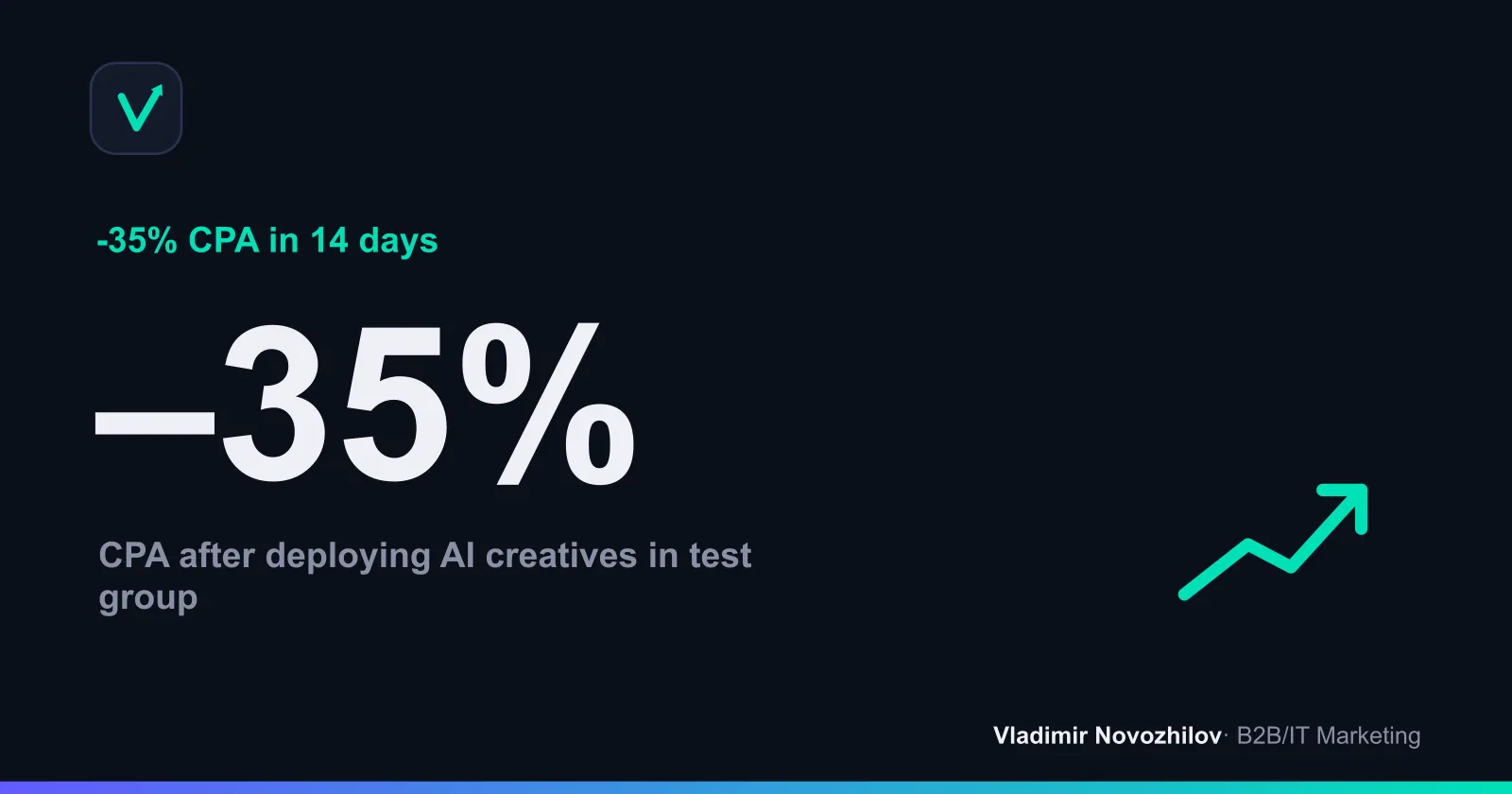
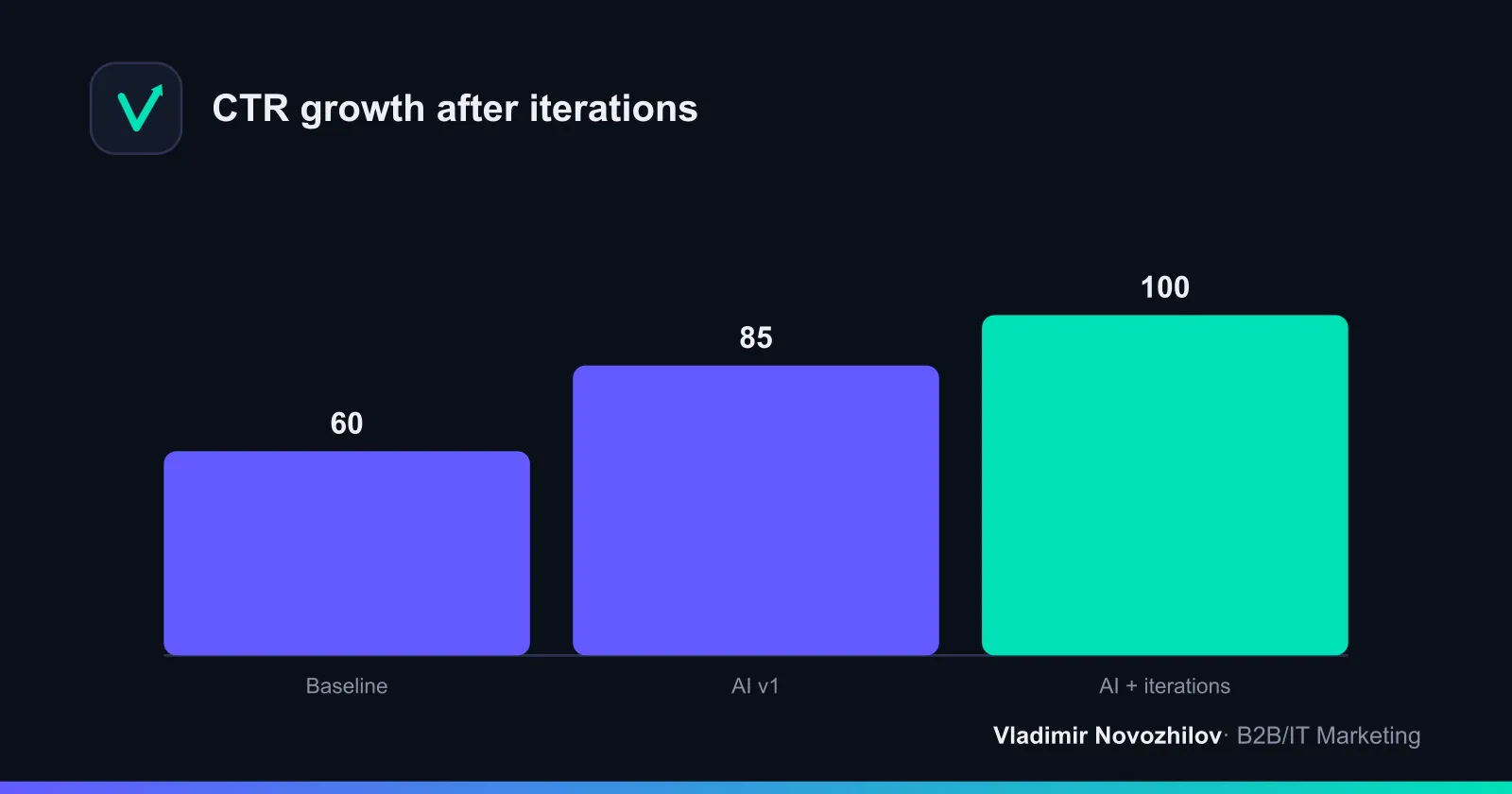
- After AI: background regeneration + short headline, 3 CTA variants. CTR 1.3% (+62%), CPA 1,050 RUB (–34%).
Case 2 (IT service, EU):
- Before: mixed layouts from stock. CTR 0.9%, CPA €42, ROAS 2.1.
- After AI: 2 iteration waves, localized CTAs. CTR 1.4%, CPA €31, ROAS 3.0. Marginal contribution rose due to lower CPM and better relevance.
Note: figures are demonstrative but reflect the typical effect of quick creative iteration and composition cleanup.
How to generate banners with a neural network — mini‑workflow
- First the image (background/scene), then microcopy.
- Assemble in an editor (brand grid, safe zones).
- Export three formats: 1:1, 9:16, 16:9.
- Check with the QA checklist and platform rules.
Frequently asked questions (additional to FAQ)
- How many iteration waves? 2–3 waves of 3–5 variants per wave — optimal.
- Video or static first? Start with statics for speed and cost; video at scaling stage.
Done: you now have a brief, references, prompts, a set of formats, a QA checklist, campaign structure and a rule to calculate test volume. This is enough to create AI‑driven advertising quickly and with metric control.
FAQ
- How to quickly create an ad banner with AI — step by step?
- Collect a short brief (target action, audience, offer, visual bans), find 3–5 references, generate 6–12 image variants via prompts, separately generate 10–20 headlines/CTAs, assemble 3–5 final layouts in 1:1, 9:16 and 16:9, run the QA checklist (readability, artifacts, legality), upload to Yandex.Direct, Meta or VK/myTarget and start an A/B test.
- Which prompts are better for product photos and lifestyle scenes?
- For product — closeup, neutral background, clear attributes (material, angle, shadows), ban extra logos. For lifestyle — usage context, emotion, scene and lighting, reference brands as style guides without copying. Include frame size, composition and allowed brand colors.
- How many creative variants to generate for a decent A/B test?
- Rule: aim for ~100 clicks per variant. Required impressions I = 100 / CTR. Cost per variant = I × CPM / 1000. Number of variants = Budget / cost per variant. Example at CTR 1% and CPM 200 RUB: I=10,000, cost=2,000 RUB; with 20,000 RUB budget — test up to 10 creatives.
- Can you run AI creatives on Meta/Yandex/Google — what about moderation?
- Yes, if you follow rules: no misleading images or prohibited topics, correct legal footers, no third‑party logos or recognizable faces without rights. Medicine, politics, alcohol and children have special restrictions. Run QA and add GEO‑specific disclaimers.
- How to adapt creatives for different GEOs and languages?
- Localize headlines and CTAs, consider currency, contact formats and legal phrases (e.g., ИНН/ОГРН for RU). Check cultural codes and photo references. Create separate layouts for RU/KZ/UA/EU and test tone. For multilingual campaigns use voiceover/subtitles in video.