Competitor Ad Analysis: Search Context & Yandex Direct


TL;DR
Competitor ad analysis means collecting and reviewing their ads, keywords, bids, budgets, and landing pages to strengthen your own campaigns. Start with free Yandex tools (Wordstat, Budget Forecast, search results), then go deeper with SpyWords, Keys.so, and Similarweb. Below is a comparison table of tools, step-by-step instructions, and a 5-step checklist.
Competitor ad analysis is the systematic collection and review of their ads, keywords, bids, budgets, and landing pages to understand what’s working for them and strengthen your own campaigns. In search context and Yandex Direct, almost all the data is visible indirectly: ads appear in open search results, and various tools let you reconstruct a competitor’s strategy without access to their ad account. Below is a practical breakdown with a comparison table of tools, step-by-step instructions for Budget Forecast and SpyWords, a 5-step checklist, and an FAQ section.
Why analyze competitors’ ads
A competitor has already spent money testing things — it would be a waste not to use that. Studying competitors’ ad campaigns shortens your path to working hypotheses: you see which queries drive traffic to them, which offers they’ve been running for months (meaning they pay off), and which of their landing pages convert better.
The main tasks competitive intelligence in advertising helps solve:
- collecting missed keywords — queries a competitor is targeting that you aren’t;
- spotting competitors’ working USPs and finding unclaimed messaging angles for differentiation;
- estimating the order of magnitude of bids and budgets to plan your own auction realistically;
- understanding the structure of landing pages and the market’s offer level;
- catching seasonal promotions and new combinations before they become widespread.
What exactly to analyze: keywords, ads, bids, landing pages
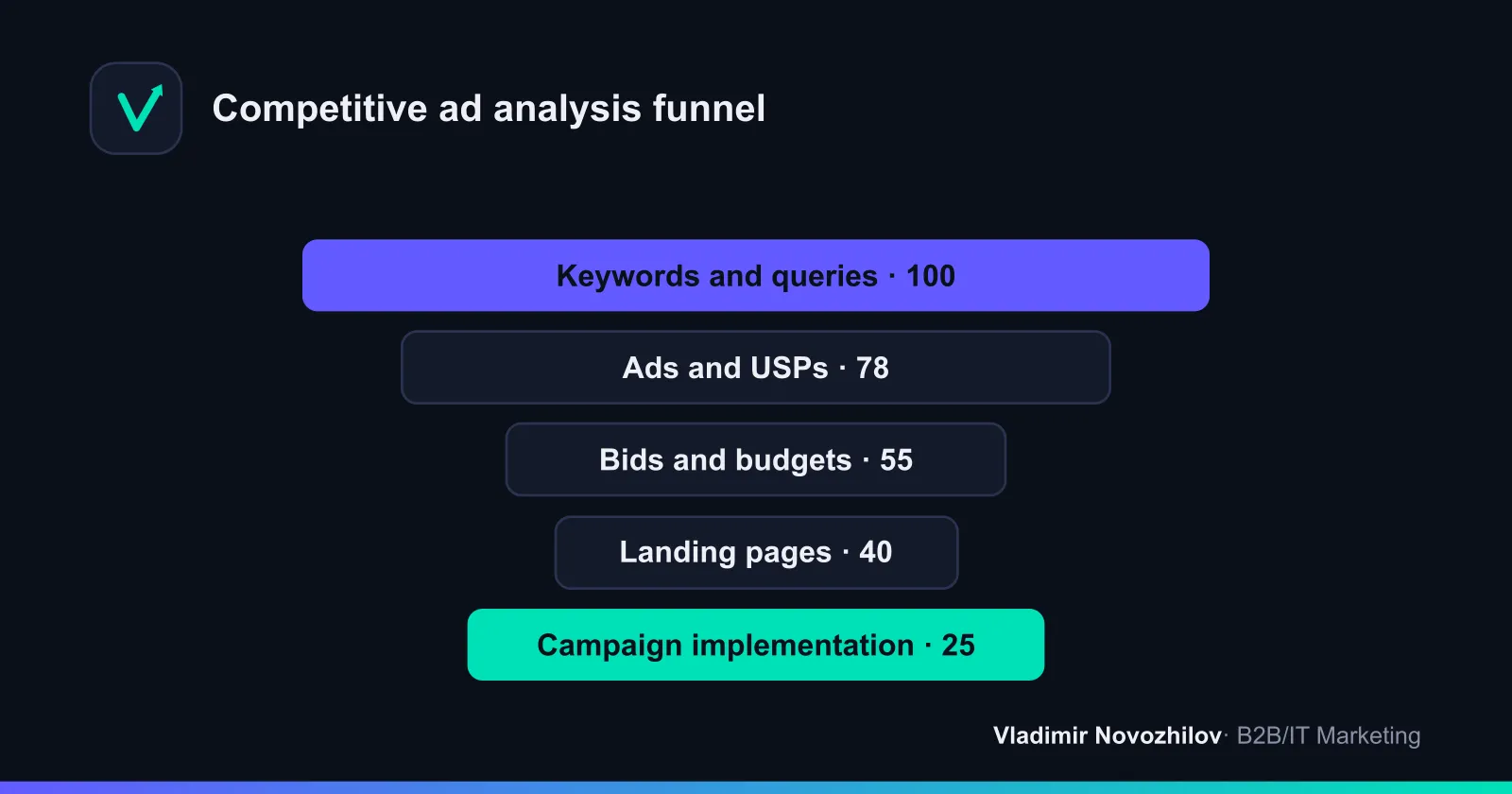
To keep the analysis of competitors’ ad campaigns from turning into a chaotic pile of screenshots, break it down into four components.
Keywords and search queries
Competitors’ keywords are the foundation. Collect the list of phrases a competitor’s ads show for and get traffic from. This is how you find a competitor’s keyword core, negative keywords (queries they’re NOT targeting), and missed clusters. Even a partial analysis of a competitor’s contextual ads often reveals 20–30% of queries you’re not running.
Ads and USPs
Analyzing competitors’ ads means breaking down headlines, ad copy, sitelinks, callouts, and displayed prices. Look at which benefits they put in the headline, whether there are numbers, guarantees, or timeframes. List all competitors’ USPs in a table and find an open niche: if everyone writes “low prices,” the winner is whoever claims “1-day turnaround” or “no upfront payment.”
Bids and budgets
Exact bids from someone else’s ad account aren’t accessible, but the order of magnitude is visible through Direct’s Budget Forecast and the bid auction view in the interface. This helps you understand which queries competitors are overheating the auction for, and where there’s undervalued, cheap traffic.
Landing pages
Follow the links from the ads and evaluate competitors’ landing pages: how well the offer matches the ad, page structure, lead-capture forms, load speed, and the presence of quizzes or live chat. Often the difference in conversion rate lies here, not in the ads themselves.
How to find competitors’ ads in Yandex Direct (4 methods)
The question of “how to see competitors’ ads” can be answered in several ways — from free to tool-based.
- Search results. Enter your commercial query into Yandex — the ad blocks above and below the results are live competitor ads. Vary the region and queries to see more options.
- Direct interface and Budget Forecast. The tool shows who’s bidding on which phrases and gives a bid estimate.
- Specialized tools (SpyWords, Keys.so): enter a competitor’s domain and get a list of their ads and queries at once.
- YAN (Yandex Advertising Network). To catch competitors’ banner ads in the network, browse thematic sites and news portals — this is how you collect display creatives that don’t show up in search.
Analyzing competitors’ contextual ads: a step-by-step SpyWords walkthrough
The most convenient way to analyze a competitor’s contextual advertising is through SpyWords. Here’s the basic route:
- Enter the competitor’s domain into the tool’s search bar.
- Open the context tab — you’ll see the number of Direct queries, approximate traffic, and budget.
- Export the list of keywords and ad copy into a spreadsheet.
- Use the “domain comparison” report: load your site and 2–3 competitors’ sites to find queries they have that you don’t.
- Filter for the highest-volume, most commercial phrases — these are the priority for expanding your own campaigns.
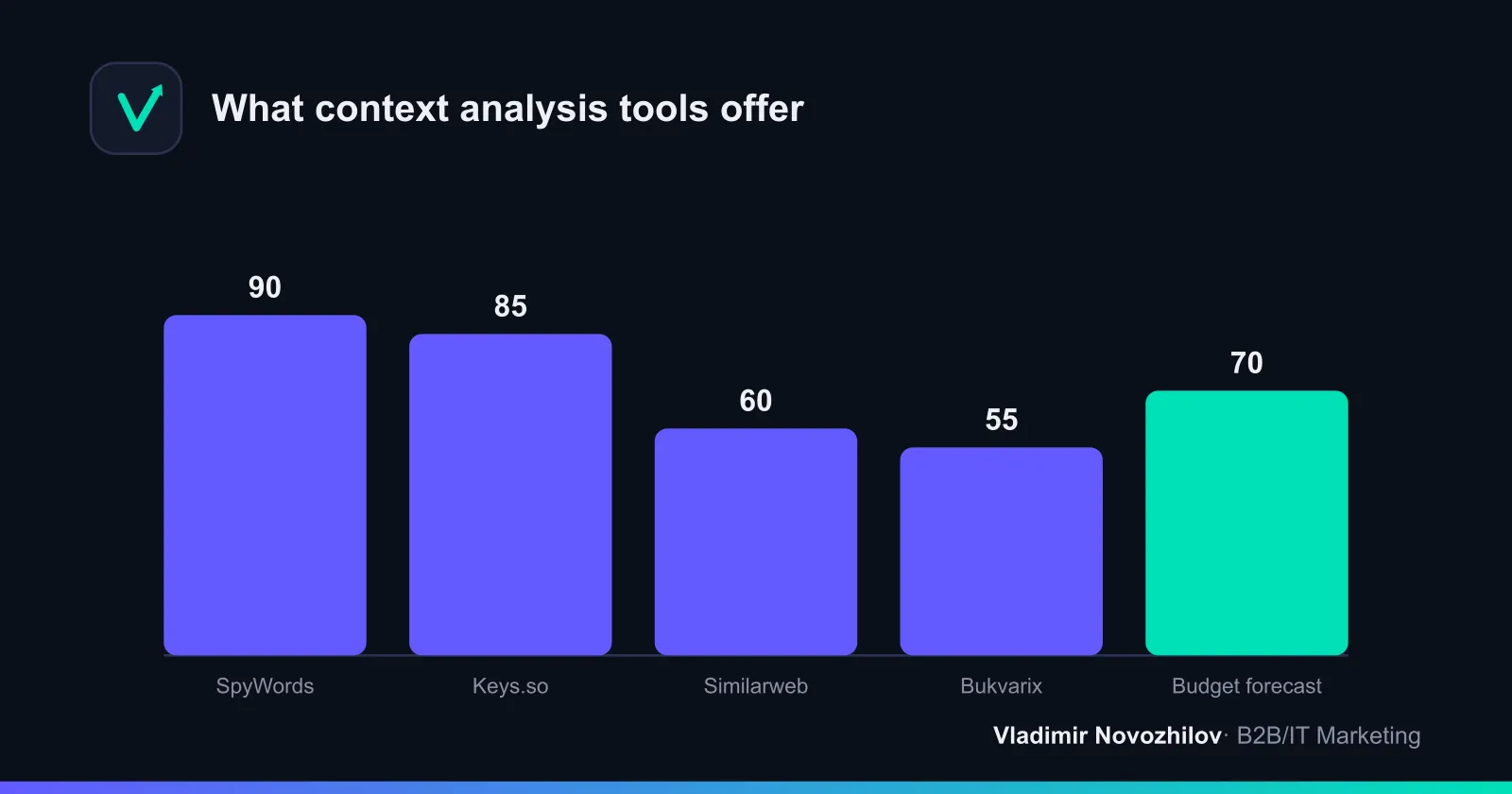
Keys.so works similarly and is strong on regional breakdowns and domain overlap. The combination of SpyWords, Keys.so, and Similarweb covers nearly all of Yandex Direct competitor analysis using open data.
How to estimate competitors’ budgets and bids via Budget Forecast
Direct’s Budget Forecast is a free, official tool that gives a legitimate estimate of spending. It won’t show an exact figure, but it will give you the right order of magnitude.
Step-by-step calculation of an approximate budget:
- Collect the competitor’s keyword set (SpyWords / Keys.so / Bukvarix).
- Load the keywords into Budget Forecast, select the region and period.
- Get the forecast: number of impressions, clicks, average bid, and spend estimate.
- Multiply the average CPC by the projected number of clicks for priority phrases.
- Adjust based on the share of paid traffic from Similarweb.
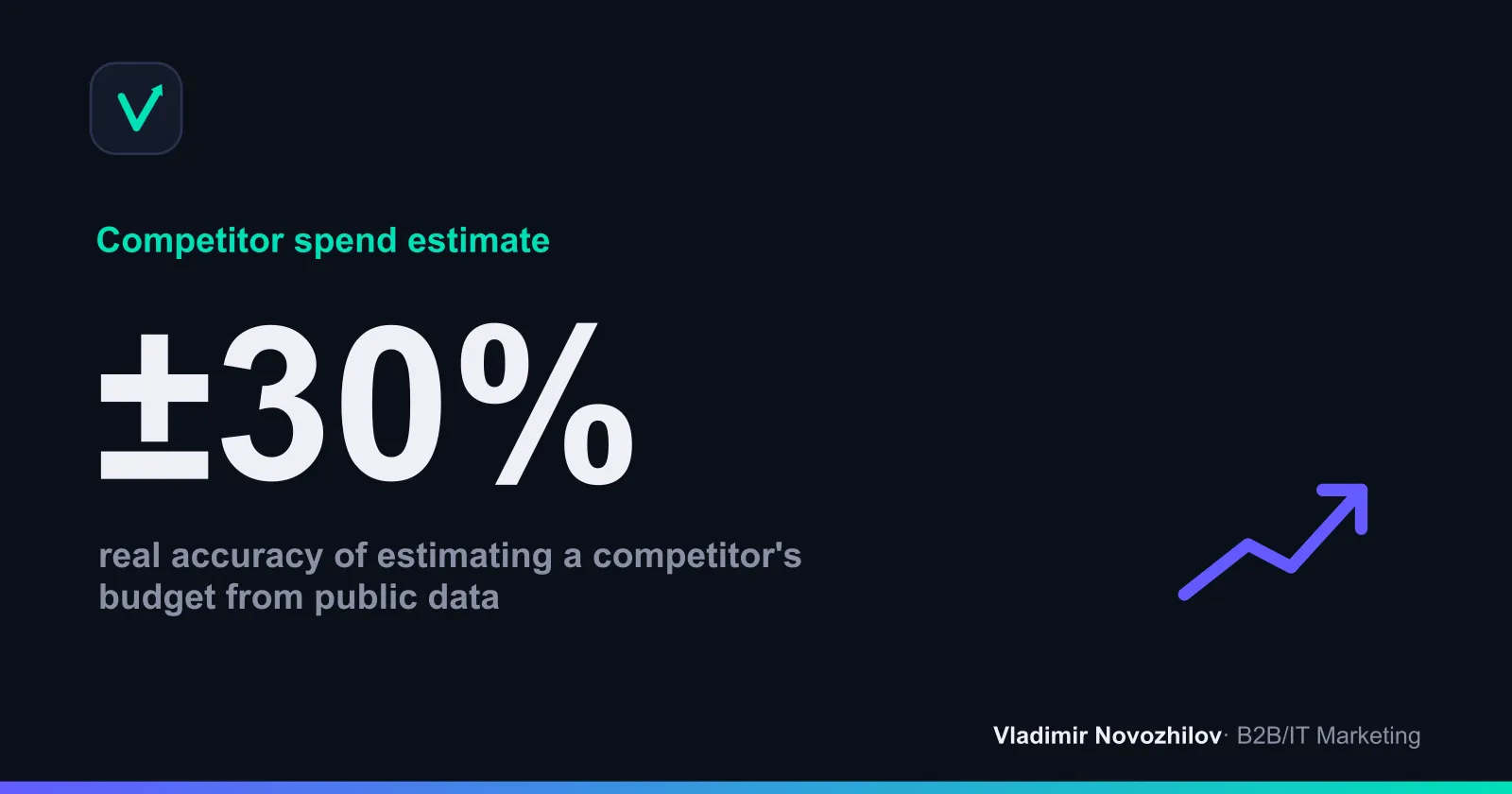
The formula is simple: Budget ≈ Projected clicks × Average CPC. For example, if the forecast for a cluster shows 3,000 clicks per month at a CPC of ₽45, the budget estimate is around ₽135,000. The real accuracy of such an estimate is roughly ±30%, but that’s enough for auction planning.
Top tools for competitor ad analysis (comparison table)
Below is a comparison of the main tools for analyzing competitors. Prices are approximate and subject to change, so check before purchasing.
| Tool | What it’s for | Key strength | Price range |
|---|---|---|---|
| Yandex Wordstat | Search volume and keywords | Free, official data | Free |
| Direct Budget Forecast | Bids, budget estimation | Official click and CPC forecast | Free |
| SpyWords | Ads and queries in Direct | Ready-made ad copy, domain comparison | from ~₽2,000/mo |
| Keys.so | Keywords and domain overlap | Regional accuracy, large databases | from ~₽1,500/mo |
| Similarweb | Traffic sources and volumes | Share of paid traffic, channels | free tier available |
| Bukvarix | Fast keyword collection | Huge database, low cost | from ~₽700/mo |
| Topvisor | Rankings and monitoring | Scheduled SERP tracking | from ~₽500/mo |
If you don’t have a budget for subscriptions, the combination of “Wordstat + Budget Forecast + manual SERP review” covers basic competitor ad monitoring for free.
Analyzing competitors in Yandex Direct: breaking down ads and USPs (case study)
Let me show, using a hypothetical example from the “stretch ceilings” niche, what breaking down competitors’ ads looks like in practice.
- Competitor A: headline “Stretch ceilings from ₽290/m². Free measurement.” USP — price and free measurement. Landing page — a quiz with a 1-minute calculation.
- Competitor B: headline “Ceilings in 1 day. 15-year warranty.” USP — speed and warranty. Landing page — a long-form page with testimonials.
- Takeaway: price and free measurement are taken, so are speed and warranty. The open space is “installation with no dust or odor, cleanup after work.” That’s the message to build our ad and a dedicated landing page block around.
This kind of breakdown takes 20–30 minutes for 3–5 competitors, but it immediately reveals an unclaimed USP and offer structure.
“The most common mistake is copying the market leader’s ad word for word. The leader has already claimed that message in the audience’s mind, and you’re just paying for their recognition. The goal of the analysis is to find an empty cell in the offer matrix, not to get in line behind the same thing everyone else is doing,” — Vladimir Novozhilov, B2B and IT marketing and growth expert.
How to analyze competitors’ targeting on social media
Analyzing competitors’ targeted ads rounds out the picture alongside contextual advertising. On VK, open the ad library inside the VK Ads account interface and communities’ promotional posts — these are open creatives. Look at:
- offers and creatives (what’s being promised, what the visuals look like);
- formats (carousel, video, lead form);
- how long a combination has been running — long-running ads usually pay off;
- community activity via analytics tools (e.g., LiveDune).
The principle is the same as with contextual ads: log the working “creative + offer + audience” combinations and adapt them to your own business rather than copying them outright.
Analyzing competitors’ ad campaigns on Telegram and marketplaces
Don’t limit yourself to search and social media. A competitor’s Telegram channel shows what seeding and offers they use, and ads in other people’s channels are marked as “sponsored posts.” On marketplaces, analyze product listings: titles, keywords in the name, promo blocks, and ratings — these are also part of their advertising funnel. This broader scope is what sets a deep analysis apart from a shallow one limited to Direct alone.
Checklist: what to check on a competitor in 5 steps
A ready-made template for a quick pass. Set up a spreadsheet with columns for each competitor.
- Keywords. Collect queries via SpyWords / Keys.so, flag missed clusters and negative keywords.
- Ads and USPs. List out headlines, ad copy, sitelinks; find an unclaimed USP.
- Bids and budget. Run keywords through Direct’s Budget Forecast, estimate CPC and monthly spend.
- Landing pages. Assess the offer, structure, forms, speed, and match with the ad.
- Channels and dynamics. Check YAN, VK, and the Telegram channel; log the snapshot date for monitoring.
How to use competitor data in your own campaigns
Collected data is useless without implementation. Sequence of actions:
- expand your keyword core with the missed queries you found from competitors;
- rewrite your ads around the unclaimed USP, add numbers and guarantees;
- adjust bids in overheated clusters, find cheap traffic;
- carry over successful elements to your own landing page (quiz, testimonials, calculator);
- track metrics: ad CTR, CPC, CPA, and overall ROI — these are what confirm that borrowed hypotheses actually work.
Common mistakes in competitor ad analysis
- Blind copying. You repeat someone else’s ad word for word and get lost in the leader’s shadow.
- A one-off snapshot. You look once and forget — competitive intelligence requires consistency.
- Ignoring landing pages. You only analyze the ads, missing that conversion happens on the landing page.
- Blind trust in tool estimates. Budget and traffic estimates are approximate (±30%) — a benchmark, not a fact.
- No record-keeping. Without a dated spreadsheet, you can’t see trends or track changes in offers.
Legally, analyzing ads through open data (search results, tools, public creatives) is fully permissible. Accessing someone else’s ad account or scraping closed data, however, crosses the legal line. Work only with what’s publicly visible.
Key takeaways
Analyzing competitors’ ads in search context and Direct isn’t a one-time task — it’s an ongoing process: collect keywords, break down ads and USPs, assess bids and budgets, study landing pages, and implement the best of what you find. Start with free Yandex tools, add SpyWords, Keys.so, and Similarweb as you scale, keep a spreadsheet, and update it every 1–2 weeks. Then your competitors will end up working for your strategy, not the other way around.
FAQ
- How can I see competitors' ads in Yandex Direct for free?
- Enter your commercial keyword into Yandex search and look at the ad blocks above and below the organic results — these are live competitor ads. You can also use free tools: Yandex Wordstat for search volume and keywords, and Direct's Budget Forecast, where you can enter a competitor's phrases and see approximate bids and traffic volumes. That's enough for a basic analysis of competitors' ads without paid subscriptions.
- Which tools are best for analyzing competitors' contextual ads?
- For the Russian market, the basic toolkit is: SpyWords and Keys.so for keywords and ad copy in Direct, Similarweb for assessing traffic sources and volumes, Bukvarix for quick keyword collection, and Topvisor for rank tracking. SpyWords and Keys.so show which phrases a competitor bids on in contextual ads and what ad copy they use; Similarweb shows where their traffic comes from and what share is paid.
- How can I estimate a competitor's advertising budget?
- You can't get an exact figure, but you can estimate the order of magnitude. Collect the competitor's keyword set via SpyWords or Keys.so, load the keywords into Direct's Budget Forecast, set the region, and get a forecast of impressions, clicks, and spend. Multiply the average CPC by the projected number of clicks — that's the approximate contextual advertising budget. Similarweb adds context by showing the share of paid traffic.
- How often should I analyze competitors' ads?
- A full analysis of competitors' ad campaigns is worth doing about once a quarter. Monitoring competitors' ads (ad copy, USPs, promotions, new landing pages) should be done every 1–2 weeks, and weekly ahead of a major season or launch. The key principle: log the changes in a spreadsheet so you can see trends over time, not just a single snapshot.
- Can I legally download a competitor's keyword set?
- You can't download someone else's keyword set directly — that's internal ad account data. But you can legally collect competitors' keywords through tools (SpyWords, Keys.so, Bukvarix): they show publicly visible search queries that drive traffic and ads to a site. This is open data from search results, not a hack of someone's account, so this kind of analysis is fully within legal bounds.
- How do I analyze competitors' targeted ads on social media?
- To analyze competitors' targeting on VK, use the ad library inside the VK Ads account interface and open promotional posts from communities. Look at creatives, offers, formats, and posting frequency. Tools like LiveDune help track community activity. Note which 'creative + offer + audience' combinations a competitor runs the longest — those are their proven hypotheses.