Step‑by‑step process to create content for real demand

TL;DR
How to design content around real demand and intent to secure steady organic traffic. Inside: a step‑by‑step process covering semantics and clustering, structure and metadata, interlinking, and Search Console updates to grow CTR. Includes briefs, tables, checklists and before/after cases.
To consistently earn organic traffic and leads, build on real demand and user search intent. Only a systematic approach delivers strong results: semantics and clusters, intent‑driven structure, correct Title and Description, thoughtful interlinking and regular updates via Search Console. All of this works together and relies on E‑E‑A‑T: the author’s demonstrated experience, expertise, authority and trust.
In short: what this is and why it matters to business
Materials that satisfy the user’s query better than competitors and are clear to algorithms deliver predictable growth. Such content:
- precisely matches the intent (informational / commercial / transactional);
- fully covers the topic using LSI vocabulary and related terms;
- has a convenient structure (H1 → H2 → H3), supported by tables, diagrams and examples;
- boosts CTR thanks to strong Title/Description and a clear snippet;
- is embedded into the site’s cluster via interlinking and avoids cannibalization;
- is regularly improved based on Search Console data.
Business impact: more organic traffic, lower lead cost and a steady stream of inquiries. In B2B and IT this complements content marketing naturally, covering early and mid‑funnel stages.
How to determine search intent: tools and signals
Intent is the user’s real task behind a query. Start with a manual review of the SERP in the target region and search engine (Google/Yandex):
- Informational: TOP results are guides, checklists, FAQs, reviews.
- Commercial: category pages, comparisons, “prices”, “plans”, case studies.
- Transactional: service/product cards, “buy”, “order”, “book”.
Distinctive snippet signals:
- Presence of price, ratings, FAQ markup, sitelinks, map (for local services).
- Title wording (“how”, “what is”, “prices”, “buy”) and the H1 types of top pages.
- Content format in the TOP: articles, listings, calculators, landing pages.
Where to look: SERP in the target region (for example, Moscow/Russia for Yandex; the relevant country/language for Google). For local queries in Yandex use precise geo‑targeting; in Google use the appropriate domain and language. Note which formats rank and which blocks are required (FAQ, tables, “Pros/Cons”, price examples).
Where to get semantics and how to build a core
A semantic core is a list of queries and intents you aim to satisfy. Follow these steps:
- Base topics: fix key services/products/customer problems.
- Expansion: use suggestions and “Related searches” in the SERP.
- Check volumes and regionality.
- Clarify intent and group queries per page.
Tools: Yandex.Wordstat, Ahrefs, Google Keyword Planner, suggestions
- Yandex.Wordstat — RF and CIS: regional volumes, seasonality, related long tails. Pull data for the target GEO.
- Google Keyword Planner / Ahrefs Keywords Explorer — Google: volume, difficulty, variations; verify language and location.
- Suggestions and “People also ask” — record formulations and LSI vocabulary to cover in the text.
- Site analytics — internal search, leading pages, cannibalization (when multiple pages compete for the same query).
Practice: collect queries in a table with columns “Query”, “Intent”, “Volume (region)”, “URL cluster”, “Priority”.
Query clustering: methodology and examples
Clustering groups keys that should point to a single page. Basic principles:
- By meaning: one user task → one cluster.
- By SERP overlap: if TOP‑10 for two queries shows the same pages — merge them.
- By intent: don’t mix informational and transactional keys on one page.
Mini manual clustering algorithm:
- Sort queries by intent.
- For each potential cluster open the TOP‑10 and assess page overlaps.
- Identify the “anchor” query — it sets H1 and Title.
- Tails and LSI — put into subheadings and body text.
Example clusters for B2B services:
- “auditing a website” (commercial) → service LP + cases + prices + FAQ.
- “how to perform a site audit” (informational) → detailed guide + checklist.
- “site audit price” (commercial) → separate pricing page or price block.
How to build an article structure: H1 → H2 → H3 (templates and examples)
Structure is the reading flow aligned with intent and the future snippet.
- H1: states the topic and promises the benefit.
- H2: logical blocks answering user questions.
- H3: details, examples, checklists, tables.
H1/H2 examples for informational, commercial and transactional queries
- Informational (SEO article, blog):
- H1: “SEO content: how to write texts for search — a step‑by‑step guide”
- H2: “How to determine search intent”, “Collecting semantics”, “Query clustering”, “Examples of Title and Description”, “Common mistakes”
- Commercial (service):
- H1: “Content and SEO audit: timelines, prices, report examples”
- H2: “What’s included”, “How we work”, “Timeline/Cost”, “Case studies”, “FAQ”
- Transactional (landing with lead form):
- H1: “Content optimization in 14 days — from brief to release”
- H2: “Results”, “Phases”, “Guarantees”, “Questions and answers”, “Submit a request”
Include tables, checklists and mini‑FAQ right in the body — they increase relevance and retention.
On‑page optimization: Title, Description, URL, tags and schema.org
Key principles:
- Title and Description reflect intent and value. Key closer to the start of Title; Description — benefits and specifics. No over‑stuffing.
- URL — short, readable, Latin with hyphens.
- H1 — one per page and not required to exactly repeat the Title.
- Internal linking — connect cluster pages with meaningful anchors, add breadcrumbs.
- Microdata: FAQ, BreadcrumbList, Article (author, date, organization) — supports CTR and E‑E‑A‑T.
- Media: alt texts descriptive, without keyword “stuffing”.
Examples of Title and Description (5 variants for informational intent):
| Title | Description |
|---|---|
| SEO‑content: a step‑by‑step plan from semantics to metadata | How to determine intent, collect semantics, build structure and meta. Checklists, templates and examples to grow CTR and traffic. |
| SEO‑content — how to write texts for search: a guide | Step‑by‑step: semantic core, query clustering, LSI words, Title and Description, interlinking. Updates via Search Console. |
| SEO‑content: templates for structure and metadata | Ready H1–H3, Title/Description examples, tables for intents. Instructions for GEO and content quality control. |
| How to create SEO‑content that ranks | Breakdown of intent, semantic collection, content and meta optimization. Before/after cases: position, CTR and lead growth. |
| SEO‑content for B2B and IT: a practical guide | Semantics, structure, LSI words, microdata. Content updates and interlinking for stable traffic. |
Multimedia elements: tables, comparisons, checklists, code examples/screenshots
For informational queries a media mix is part of relevance. Add:
- comparative tables (intents, formats, metrics);
- checklists and templates (acceptance, brief, publishing);
- headline figures, diagrams, mini‑process maps;
- snippet examples (as text), code fragments of microdata (no links).
Practical templates: brief for a copywriter, article template, acceptance checklist
Working brief for SEO texts:
- Goal and intent: informational/commercial/transactional.
- Target audience and region (Google/Yandex, language, city/country).
- Anchor key (cluster query) and supporting list.
- Mandatory sections H1 → H2 → H3.
- LSI words/related vocabulary and “People also ask” questions.
- Title and Description examples (2–3 variants).
- Media requirements (tables, diagrams, examples, alt texts).
- E‑E‑A‑T: author, experience, update date, cases/data.
- Interlinking: from which pages and to which pages, anchors.
- KPI: target CTR, behavioral metrics (time, depth), leads.
Article template (skeleton):
- Introduction (2–3 paragraphs): definition, who the material is for, what it will deliver.
- H2: Definition and value (short answer, table/diagram).
- H2: Intent and SERP (signals, regional nuances).
- H2: Semantics and clustering (table/steps).
- H2: Structure and meta (Title and Description examples).
- H2: Cases/errors/FAQ.
- Conclusion and context‑appropriate CTA (for info articles — “read next” or “apply the checklist”).
Content acceptance checklist:
- Intent matches the TOP in the target region.
- Semantic core collected, clustering completed.
- H1–H3 cover “People also ask”, LSI vocabulary included.
- Title and Description are correct, not over‑stuffed, tested.
- Interlinking configured, cannibalization excluded.
- Microdata and alt texts in place, date and author provided (E‑E‑A‑T).
- Text is scannable: lists, tables, illustrations, examples.
- Publication technically checked; template saved for updates.
Table: content formats by intent (informational/commercial/transactional)
| Intent | Main format | Mandatory elements | Success metrics |
|---|---|---|---|
| Informational | Guides, checklists, reviews | H2–H3 covering “People also ask”, tables, LSI words, FAQ | Positions, CTR, time on page, bookmarks |
| Commercial | Category/service pages, comparisons, pricing | Cases, benefits, prices/plans, trust block, interlinking to “how to choose” | Conversions, leads, CTA clicks, depth of navigation |
| Transactional | Service/product cards, landing pages | CTA, contact/form, guarantees, microdata | Form submits, calls, microconversions |
How to update old texts via Search Console: steps and filters
Your growth base is pages with impressions but low CTR or missing blocks. Sequence:
- Performance → Pages → select the URL.
- Switch to Queries: sort by impressions.
- Find:
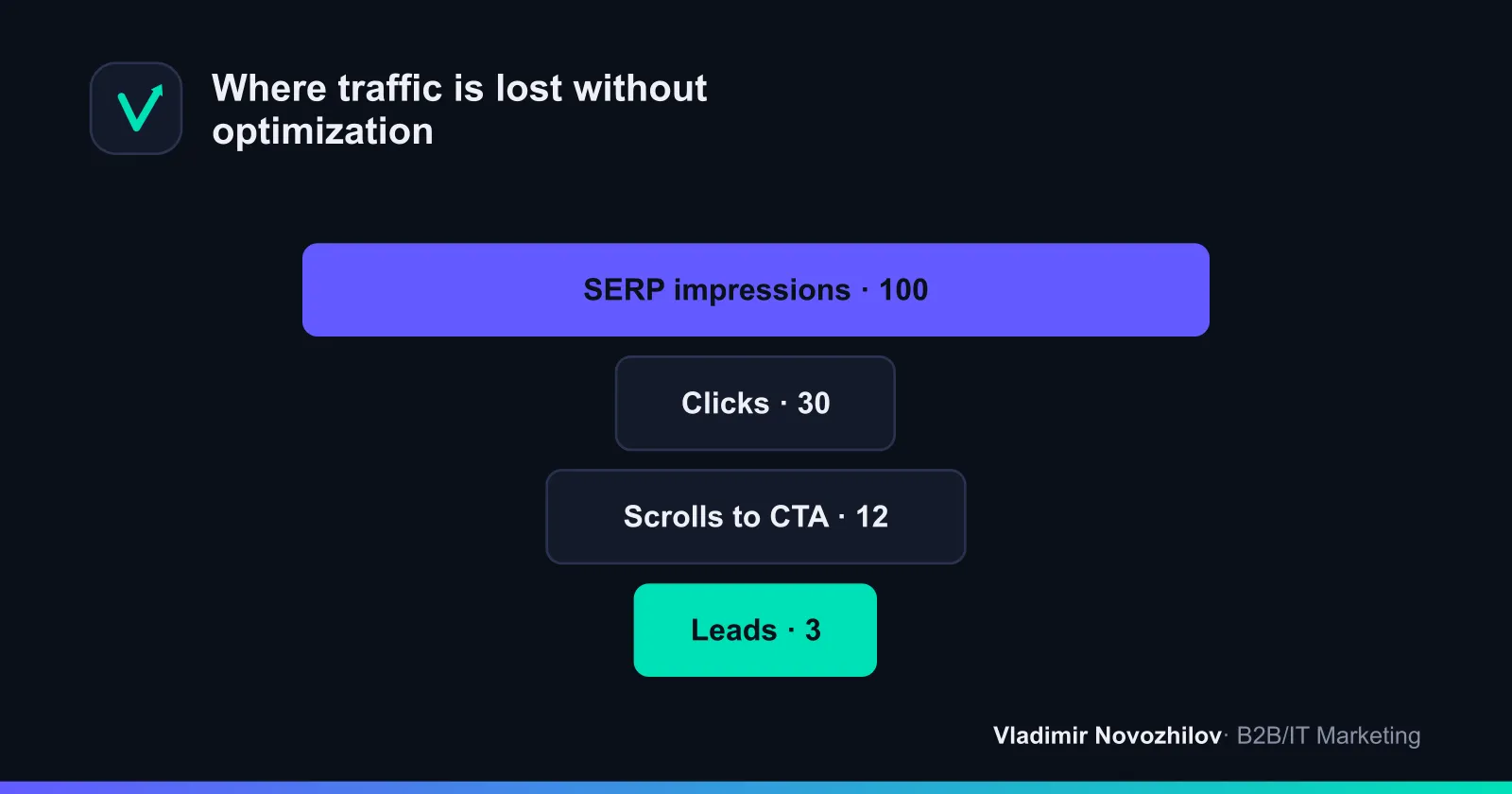
- queries with positions 3–15 and CTR below benchmark (for example, 1–3% when average is 4–7%);
- queries with high impressions and zero clicks — a sign of uncovered intent.
- Map query formulations to section headings: what’s missing? Add:
- missing H2/H3, checklists, tables with option comparisons;
- exact query formulations in subheadings (without keyword stuffing in the text);
- refined Title and Description for the most frequent phrasings.
- Check interlinking: add links from relevant articles, eliminate cannibalization.
- Update the date and note the changes. Compare CTR/positions/clicks after 14–28 days.
Practical trick: create a table “Query → Position → CTR → Impressions → Action (new H2/meta/paragraph/table)”. This becomes the base for A/B iterations.
Before/after cases with metrics (positions, CTR, traffic)
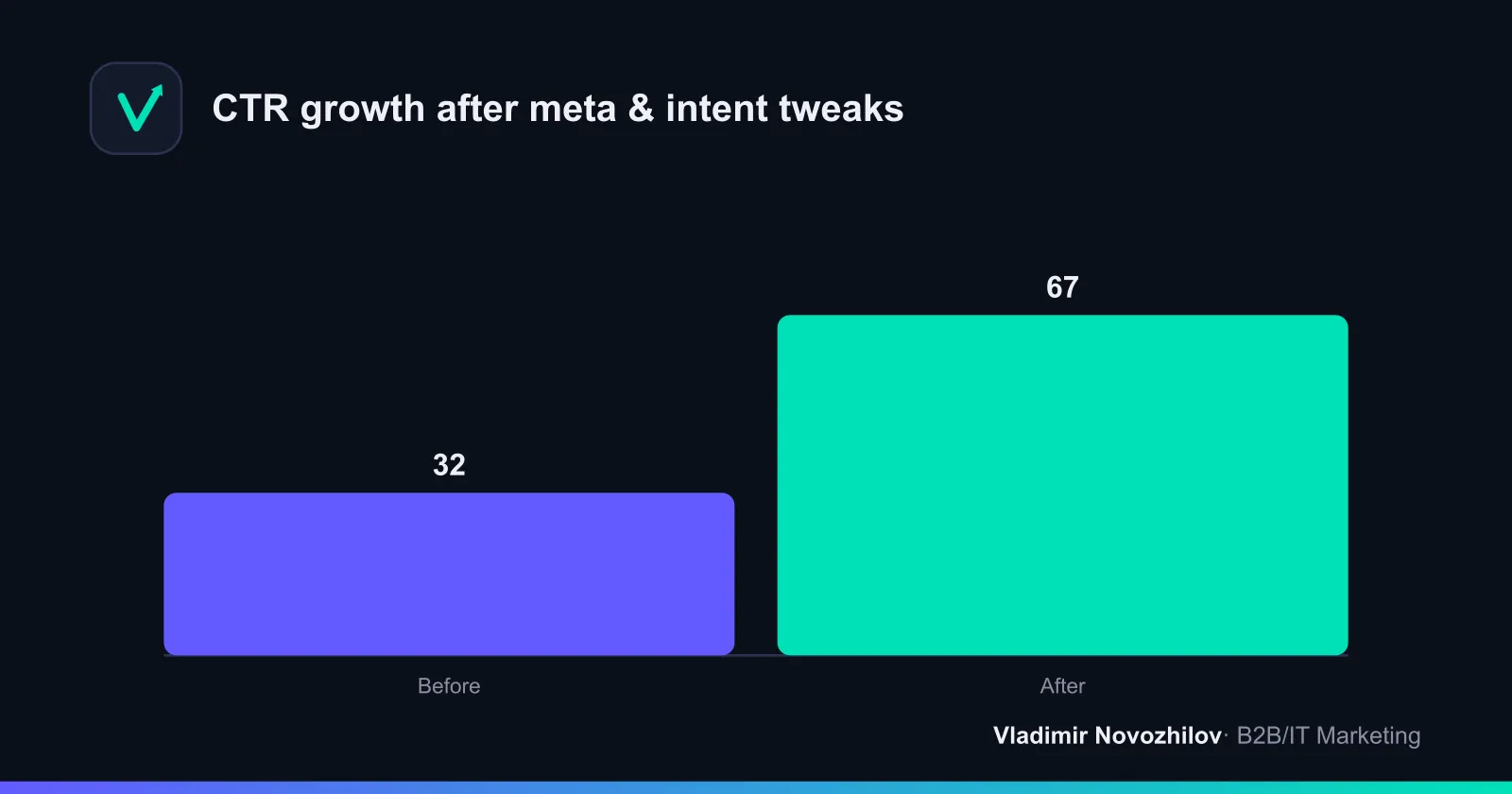
Case 1. Informational guide (RU, Google/Yandex)
- Before: average position 11.8; CTR 1.9%; 380 clicks/28 days.
- Changes: Titles and Descriptions rewritten for clear informational intent, added two H2s with LSI vocabulary and a comparison table; strengthened interlinking from three thematic articles.
- After (35 days): position 6.2; CTR 4.1%; 910 clicks/28 days; time on page +28%.
Case 2. Service page (B2B, transactional intent)
- Before: position 14.5; CTR 0.8%; 14 leads/quarter.
- Changes: reworked structure (moved cases and pricing to H2), refined internal anchor links, added FAQ and microdata. Removed a duplicate page, eliminating cannibalization.
- After: position 7.1; CTR 2.3%; 33 leads/quarter; lead cost down 38%.
Conclusion: adjusting meta and structure to the correct intent plus smart interlinking consistently raises CTR and positions, especially around the 5–15 ranking range.
Common mistakes and how to avoid them
- Writing “for everyone”: mixing intents on one page. Fix: one page — one intent.
- Ignoring LSI vocabulary and “People also ask”: the page is incomplete. Fix: add sections with clear answers.
- Over‑stuffing headings and text: CTR and trust fall. Fix: natural language; place keys in headings and meta.
- No interlinking: the cluster is “torn”. Fix: add contextual links, breadcrumbs, “Read on”.
- Cannibalization: multiple pages target the same query. Fix: merge content, set canonicals, redirect.
- No regular updates: rankings decline. Fix: quarterly audit via Search Console.
Checklist: step‑by‑step plan to create an SEO article
- Determine intent (read the TOP for your region and search engine).
- Collect semantics: base keys, tails, LSI vocabulary.
- Cluster: one cluster — one page.
- Draft structure: H1 → H2 → H3; add tables and checklists.
- Write with E‑E‑A‑T in mind: author experience, data, cases.
- Create Title and Description: value + query formulations.
- Configure interlinking: from/to cluster pages.
- Publish and verify microdata, alt texts, speed.
- Monitor Search Console: positions, CTR, impressions.
- Schedule updates every 1–3 months.
SEO copywriting and completeness of topic coverage
SEO copywriting isn’t about “keyword density” but readability and completeness. Practice:
- Above the fold: a clear value promise — who this is for and what they get.
- The inverted pyramid: conclusions first, details later.
- Add examples, cases, numbers; lists and tables save time for the reader.
LSI words and related vocabulary: correct usage
- Identify 10–20 key LSI terms from suggestions and the TOP.
- Place them in H2–H3 and organically within the text.
- Don’t chase “density”; the goal is completeness, not repetition.
Interlinking: how to pass weight to target pages
- Inside a cluster: thematic articles → main cluster page; anchors meaningful, varied.
- Between clusters: link toward the next funnel stage (e.g., from an informational article → service page).
- Check for broken links after updates and remove cannibalization.
Content updates: control and A/B approach
- Plan: monthly — quick meta and FAQ edits; quarterly — structural refactor and example updates.
- A/B over time: change one major factor per iteration (Title/Description, H2 blocks, tables). Monitor CTR and positions by keys.
- Stop on the variant with the best CTR while maintaining positions.
Sample briefs for a copywriter (snippet — copyable)
- Topic/H1: “[Topic] — a step‑by‑step guide”
- Intent: informational
- GEO and search engine: Russia, Yandex and Google
- Cluster: [anchor query], tails: [list]
- LSI words: [10–20 terms]
- Mandatory H2s: [list]
- Title/Description examples: [2–3 variants]
- Interlinking: from [URL1, URL2] to [URL3]
- E‑E‑A‑T: author with [N] years’ experience, update date, case with figures
- KPI: median TOP‑10 position in region, CTR ≥ [X]%
Example Search Console workflow: filtering queries to choose updates
- Comparison filter: last 28 days vs previous 28 — find CTR or position drops.
- Segment “Queries”: position 4–20, impressions > 500, CTR < 2.5%. This is “gold” for rewriting meta.
- Segment “Queries with no clicks”: impressions > 200, clicks = 0 — add an H2 with exact phrasing and a mini‑FAQ.
- For a page with a drop: check if cannibalization appeared (another page is rising on the same keys). Merge/redirect if necessary.
SEO content and content marketing: how to combine
- SEO content brings reach and a steady traffic flow.
- Content marketing builds brand, trust and conversions in later stages. Combine: informational articles → cases/services/demos via thoughtful interlinking.
Quick method to evaluate results
- Before publishing: record meta plan, H2–H3, list of queries.
- After 28–35 days: capture positions, CTR, clicks. Compare to the plan.
- If CTR is below the benchmark for your position — rewrite Title/Description, add “Pros/Cons”, tables and specifics.
Common questions about SEO content
These are short self‑contained answers (suitable for FAQ markup):
- What is SEO content? SEO content is content designed for search demand and intent, with optimized structure, metadata and interlinking, regularly updated using Search Console data.
- How to determine search intent? Analyze the TOP for the region and search engine: page types and snippets indicate informational/commercial/transactional.
- How many words are needed for an SEO article? Aim for the median volume in the TOP‑10 for your GEO and language; priority is completeness of the answer.
- How to update old texts? Use filters in Search Console: low CTR at good positions, queries with impressions but no clicks; add missing H2/FAQ.
- Which Titles and Descriptions are better? Those that reflect intent and value: key near the start, specifics and benefit, no over‑stuffing.
GEO and trust (E‑E‑A‑T):
- Publication region: specify which search engines and countries/cities the material is optimized for (for example, Russia — Yandex and Google). Use local phrasing, examples of prices/units.
- Author and date: state experience, role, update date — this increases trust and perceived quality.
Conclusion: a sequential process — from semantics and clustering to metadata, interlinking and regular updates — yields predictable growth. Take steps in order, record metrics and iteratively improve materials — that’s how you win in competitive SERPs.
FAQ
- What is meant by SEO content?
- Materials designed for real search demand and intent: a thought‑out structure, correct metadata and interlinking, and regular updates based on Search Console data.
- How do you determine the intent of a query?
- Analyze the SERP in the target region and search engine: the dominant page types and snippets reveal informational, commercial, or transactional intent.
- What text length is optimal for an article?
- Aim for the median length in the TOP‑10 for your GEO and language. The key is completeness of the answer, not word count.
- What is the most effective way to update old texts?
- Use filters in Search Console: look for low CTR at decent positions and queries with impressions but no clicks. Add missing H2/FAQ and refine meta.
- Which Titles and Descriptions work best?
- Those that reflect intent and value: put the key closer to the start of the title; in the description — be specific and show benefit. Avoid over‑stuffing.