Choosing an AI Tool for Vibecoding in 2026

TL;DR
The optimal set depends on tasks, experience and budget. This guide compares tools by price and context, availability in Russia, includes a decision matrix, checklist, a prompt case and a 30‑day plan. To get started you typically need one code generator and one deployment platform.
Start from your own tasks, skill level and budget. Need speed and a ready UI — Lovable or v0 will do. Need code control and IDE workflow — use the Cursor + GitHub Copilot combo. For terminal work and automation — Claude Code. Below: breakdown of tool classes, tables, a decision matrix, step‑by‑step case and prompt templates.
Short answer: which model and tool to pick per task
- If “landing/app in an evening”: Lovable or v0 (Vercel) — platforms at the “prompt → UI” level. Backend and deploy — Replit Agent or Railway + Cloudflare Pages.
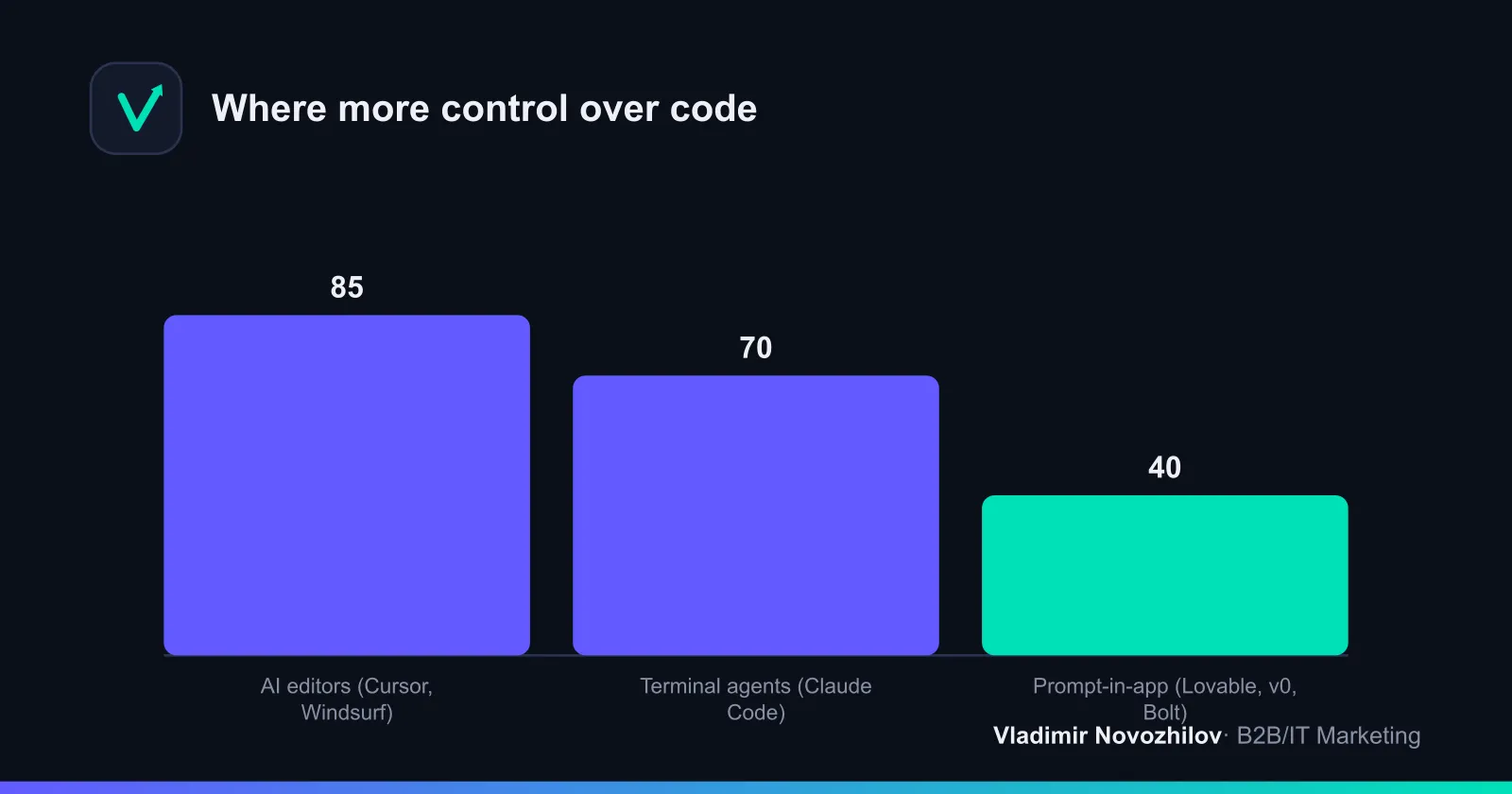
- If “I work in the editor and want control”: Cursor + GitHub Copilot (or Copilot in VS Code) — AI editors with strong project context and quick patches.
- If “scripts, CLI, parsing, automation”: Claude Code — terminal agents with stepwise task breakdown. To save tokens — DeepSeek V4.
- If you need a universal model: GPT‑5.5/5.6, Gemini 3, Claude; for a free-ish start — DeepSeek V4. These models consistently score high in community benchmarks.
How the stack is organized: agents, AI editors, web builders, copilot plugins
- Terminal agents: Claude Code, Replit Agent — the “task → plan → execute in terminal” approach. Useful for DevOps, generating/running scripts, working with Git.
- AI editors: Cursor, Windsurf — code editors where the model “sees” the project and edits files via patches.
- Web builders (prompt→app): Lovable, v0, Bolt / bolt.new — quick UI/frame, then export to IDE.
- Copilot plugins: GitHub Copilot, Replit Ghostwriter — inline suggestions, test generation, refactoring.
Key terms: context window, tokens, built‑in integrations (Railway, Cloudflare Pages / R2, PostgreSQL), CI/CD, audit trail.
Selection criteria: context, control, integrations, price, availability in Russia
- Project context: the more files and longer chat history, the more useful AI editors and agents become.
- Code control: IDEs and terminal agents provide patches and readable diffs.
- Integrations: ready deploy presets (Railway, Cloudflare), databases (PostgreSQL), storages (R2).
- Price: subscription for model + editor/copilot + deploy/DB + tokens.
- Availability in Russia: some services require VPN or alternative payment; DeepSeek V4 and aggregators are locally available. Check corporate risks.
Comparative table of tools (price, context, languages, integrations)
| Instrument | Class | Price/mo | Context window | Integrations | Availability in Russia |
|---|---|---|---|---|---|
| Claude Code | terminal agents | $15–30 | up to 200k+ tokens | Git, CLI, cloud providers | limited, often via VPN |
| Cursor | AI-editors | $10–20 | high project context | Git, tests, LLM plugins | available, payment depends on card |
| GitHub Copilot | copilot-plugin | $10–19 | line/file level | IDE (VS Code, JetBrains) | partially available, payment may be difficult |
| Lovable | prompt→app | $0–20 | medium | project export, hosting | available, sometimes needs VPN |
| v0 (Vercel) | prompt→app | $0–20 | medium | Vercel, Next.js, UI kits | available with caveats |
| Bolt / bolt.new | prompt→app | $0–20 | medium | generates full-stack templates | available, payment depends on card |
| Replit (Agent, Ghostwriter) | agent+copilot | $0–20 | medium | hosting, DB, public URL | available, payment by card |
| GPT‑5.5/5.6 | model | $10–30 | 100k–200k+ | broad ecosystem | limited, often via VPN |
| Gemini 3 | model | $10–30 | 100k–1000k* | cloud integrations | limited, often via VPN |
| DeepSeek V4 | model | $0–10 | ~100k | local clients/aggregators | well available |
| Codex (historical) | model | — | — | — | deprecated |
Note: context values are indicative; check current limits.
30‑day step plan: what a beginner should choose
Week 1 — “Hello, World” and basic stack:
- Pick a convenient “prompt→app” platform: Lovable or v0. Build a simple landing page.
- Enable GitHub Copilot or Replit Ghostwriter. Get familiar with suggestions and diffs.
Week 2 — first meaningful project:
- Export code to Cursor. Break tasks into user stories, ask for refactoring and tests.
- Set up PostgreSQL on Railway, static on Cloudflare Pages.
Week 3 — integrations and agent operations:
- Learn Claude Code for CLI tasks: generate migrations, parsers, deploy scripts.
Week 4 — deploy and feedback:
- Deploy, collect metrics, basic CI/CD tests. Show the project to people, gather feedback, iterate.
Case: first project in an evening (Lovable → deploy) — steps and prompts
Task: landing + lead form → write to PostgreSQL → email to admin.
-
UI generation (Lovable): Prompt: “Build a landing for a B2B service: header, benefits, pricing, lead form (name, email, comment). Clean, fast, responsive. Add FAQ section.” Action: pick an appropriate theme and export the project as ZIP.
-
Prepare project (Cursor):
- Unpack and open the folder in Cursor.
- System prompt: “Import the project, tidy the structure, extract components, add ESLint/Prettier, configure npm run dev/build scripts.”
- Backend and DB (Railway + PostgreSQL):
- Prompt: “Add API route /api/lead, validation, write to PostgreSQL (table leads: id, name, email, comment, created_at). Return 200/400/500.”
- Generate .env.example; real keys stay local only.
- Deploy (Cloudflare Pages):
- Prompt: “Prepare Cloudflare Pages config and environment variables. Add deploy script and healthcheck.”
Diff before/after (snippet):
-  const handleSubmit = (e) => { /* TODO */ }
+  const handleSubmit = async (e) => {
+    e.preventDefault();
+    const res = await fetch('/api/lead', { method: 'POST', body: JSON.stringify(form) });
+    if (!res.ok) throw new Error('Submit failed');
+  }
How to work with agents: example with Claude Code (CLI) and common commands
Typical terminal flow:
# Initialize project context
aI agent init --provider=claude --context=./

# Set goal and limits
aI agent goal "Create REST API /api/lead with validation and tests" --limit-calls=5

# Execute the plan with step confirmation
aI agent run --review
Editor flow in Cursor:
- “/fix tests for api/lead” — fix tests.
- “/refactor components/* for accessibility” — batch refactor.
- “/doc generate README with setup instructions” — generate documentation.
Tip: keep tasks short and measurable; store prompts in the repo (prompts/*.md).
Migration and process: from builder to IDE + agent refactor
- Lovable → Cursor: export ZIP, init git, normalize structure, move secrets to .env, set up tests.
- Cursor → Claude Code: create terminal tasks (DB migrations, CI/CD, deploy scripts).
- Outcome: “prompt→app” for speed, IDE/agents for quality and control.
Security and privacy when using LLMs (secrets, licenses, audit)
Checklist:
- Secrets: .env + secret manager, no plaintext in repo.
- Licenses: check file headers and use compatible licenses.
- Data: anonymize sensitive fields, include minimal context.
- CI/CD: linters, SAST, dependency audit; forbid “secrets in diffs”.
- Audit trail: log prompts/responses to a private CI artifact.
- Corporate risks: agree policy for sending code to external services.
Cost and budget: realistic subscription and infra calculation
Formula: Budget = LLM + Editor/copilot + Deploy/DB + Tokens + 20% buffer.
Example:
- LLM: $15 (DeepSeek V4 or base GPT/Gemini tier)
- Editor/copilot: $10 (Cursor or Copilot)
- Deploy/DB: $8 (Cloudflare Pages + Railway PostgreSQL)
- Tokens: $10 (overuse buffer)
- Total: ≈ $43 → with 20% buffer ≈ $52/mo
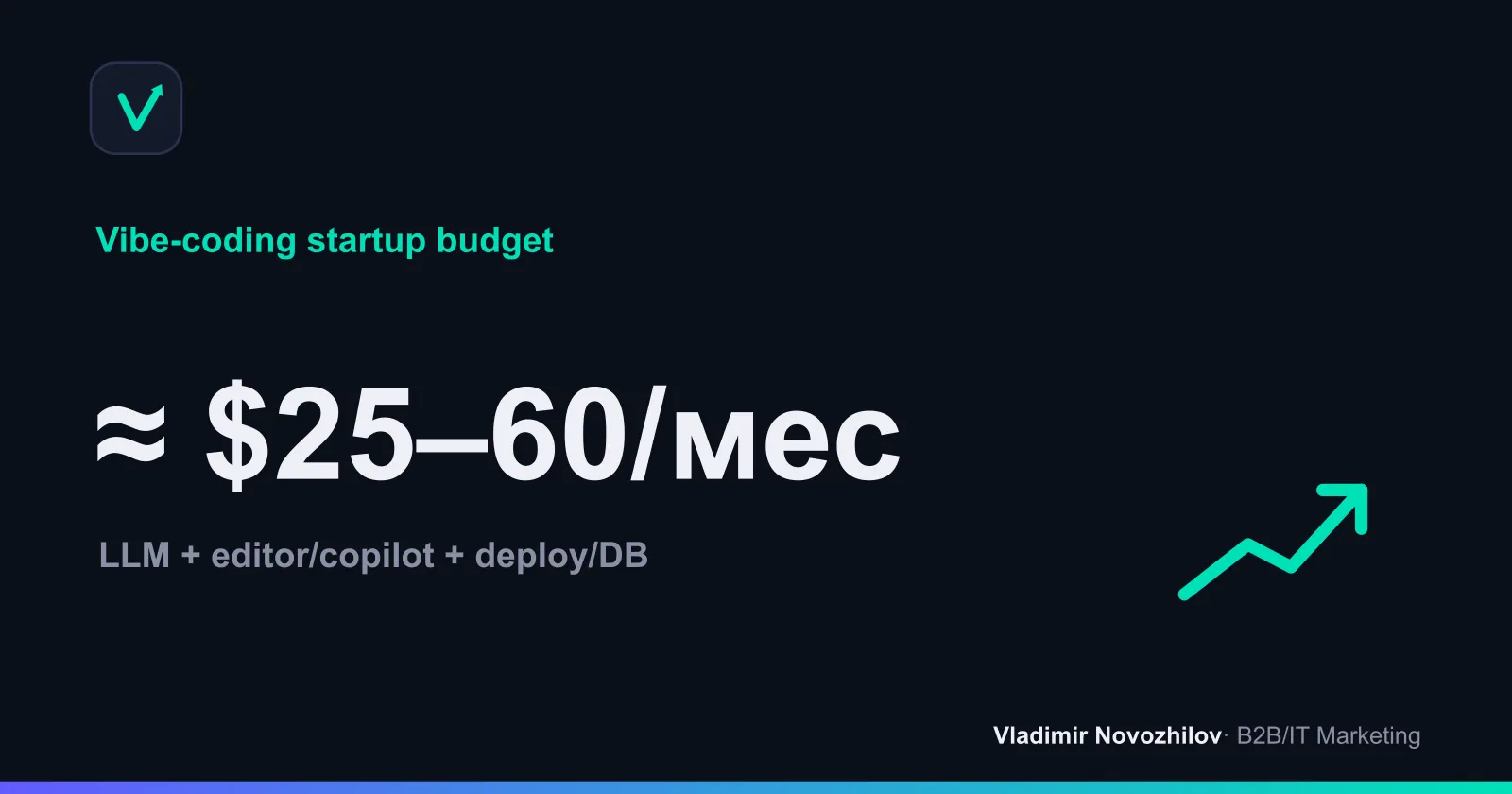
Pricing table (guideline):
| Component | Budget/mo | Note |
|---|---|---|
| LLM (GPT‑5.5/5.6, Gemini 3, Claude, DeepSeek V4) | $10–30 | choose by quality/context |
| Editor/copilot (Cursor, Copilot, Ghostwriter) | $0–20 | beginners can use basic plans |
| Deploy/DB (Cloudflare, Railway, R2, PostgreSQL) | $5–15 | depends on traffic and storage |
Common mistakes and how to avoid them
- Shipping to prod without tests — prototype first, then strict checks.
- Long unstructured prompts — use templates and quality guards.
- Storing secrets in code — use .env/secret manager only.
- Choosing tools by hype — run the checklist and a mini benchmark.
- Not preserving context — clean chats, save important prompts in the repo.
Testing checklist for a tool (10 items)
- Install without friction (5–10 minutes). 2) Import/export project. 3) Understands context. 4) Edits as patches. 5) Generates tests. 6) Integrates with deploy. 7) Token control. 8) Readable diffs. 9) Works from Russia. 10) Cost ≤ planned budget.
Tables and templates: decision matrix, prompt templates, pricing comparison
Decision matrix (pick the column with the best fit):
| Scenario | Low budget | Mid budget | Enterprise |
|---|---|---|---|
| Need a quick UI | Lovable / v0 | v0 + Cursor | v0 + IDE + CI/CD |
| IDE control | Cursor | Cursor + Copilot | Cursor + Copilot + agents |
| CLI/automation | DeepSeek V4 + Claude Code | Claude Code | Agent + private LLM |
Prompt templates (copy and adapt):
| Task | Prompt template |
|---|---|
| Frontend | ”Render section [X] in style [Y], atomic components, A11y, Tailwind, no inline styles. Show diff and test points.” |
| API | ”Create REST endpoint [method/path], Zod validation, responses 200/400/500, logging. Add unit tests and .env.example.” |
| Tests | ”Generate unit tests for modules [list], cover edge cases, provide DB mocks, output coverage report.” |
| Refactor | ”Split module [X] into layers, extract constants, reduce cyclomatic complexity <10, do not change public API, include migration notes.” |
| CI | ”Write minimal pipeline: lint, test, build, deploy (Cloudflare Pages), cache npm, artifact coverage, fail on test failures.” |
Starter template (create locally):
project/
  apps/web
  apps/api
  packages/ui
  prompts/
  .env.example
Availability and experience in Russia: what to consider
- Payments: foreign cards/aggregators, prepaid tokens; some services are accessible only via VPN.
- Local alternatives: DeepSeek V4, offline clients, aggregators with ruble payments.
- Legal risks: consult legal on code/data transfers, limit context to the necessary minimum.
Secondary keywords: where they appear and how to use them
- “нейросети для вайбкодинга”, “лучшие ии для вайбкодинга”, “лучшие нейросети для вайбкодинга” — see sections on model choice and the short answer about tools.
- “вайбкодинг инструменты”, “инструменты для вайбкодинга”, “вайбкодинг платформы”, “сервис для вайбкодинга” — see classification and summary tables.
- “AI-редакторы”, “терминальные агенты”, “Copilot”, “Cursor”, “Lovable”, “Claude Code”, “v0”, “Replit” — appear in subheadings, tables and cases.
FAQ: short answers to common questions
See the FAQ block above — answers are self‑contained and aimed at readers from Russia.
FAQ
- Where to start if I need a quick result without diving into code?
- For a “landing page in an evening” pick Lovable or v0: they follow the “prompt → UI” format. Then deploy via Replit Agent or the Railway + Cloudflare Pages combo.
- Which stack to choose if I want full control in an IDE?
- Cursor + GitHub Copilot (or Copilot in VS Code). You get project context, tidy patches and fast fixes. Supplement CLI tasks with Claude Code.
- What works from Russia and how to pay?
- Some services require a VPN and alternative payment methods. Locally it's easier to start with DeepSeek V4 and aggregators. Check corporate risks and company policy.
- How much will the monthly budget cost?
- Rough estimate — ≈ $43–52/month: LLM ($15), editor/copilot ($10), deploy/DB ($8), token buffer ($10) + 20% reserve. Actual spend depends on traffic and request volume.
- Can I minimize code and data leaks when working with LLMs?
- Yes. Keep secrets in .env/secret manager, anonymize data, limit context, enable SAST/linters and dependency audits, log prompts in a private CI. Consider a private LLM if needed.