App and Telegram Bot in an Evening: Practical Roadmap

TL;DR
I show how to assemble an app and a Telegram bot in an evening — from BotFather to production deploy. Inside: tools table (no‑code, n8n, Replit/Bolt, Cursor/Claude Code), ready prompts, python-telegram-bot code, step-by-step deploy on Railway/Render/Fly.io. We finish with security and budget estimates.
From idea to a working MVP — powered by dialog with an AI and reusable blocks: you describe behavior in words, and the tool generates code, flows and integrations. Below is a step‑by‑step route: how to assemble a simple app and a Telegram bot in an evening, which tools to choose, how to test and run 24/7 without fuss.
Brief on vibe coding and when it fits
Vibe coding is assembling a product through prompts and in‑place edits, without deep immersion in traditional development. The term is often written as vibe coding. The core idea: you act as the architect — you specify requirements, quickly validate hypotheses and set boundaries. This can produce simple apps, chatbots, integrations and small internal tools.
Appropriate when:
- you need a fast MVP in hours or a day, without a long spec or hiring a team;
- the logic is transparent: request → processing → response, integrations via APIs;
- short iteration cycles matter: tell the tool — get the result — fix immediately.
Not appropriate when you require high throughput, strict SLOs, complex domain logic, mature security practices or certification. In those cases build a prototype with vibe coding, then move production to classic development.
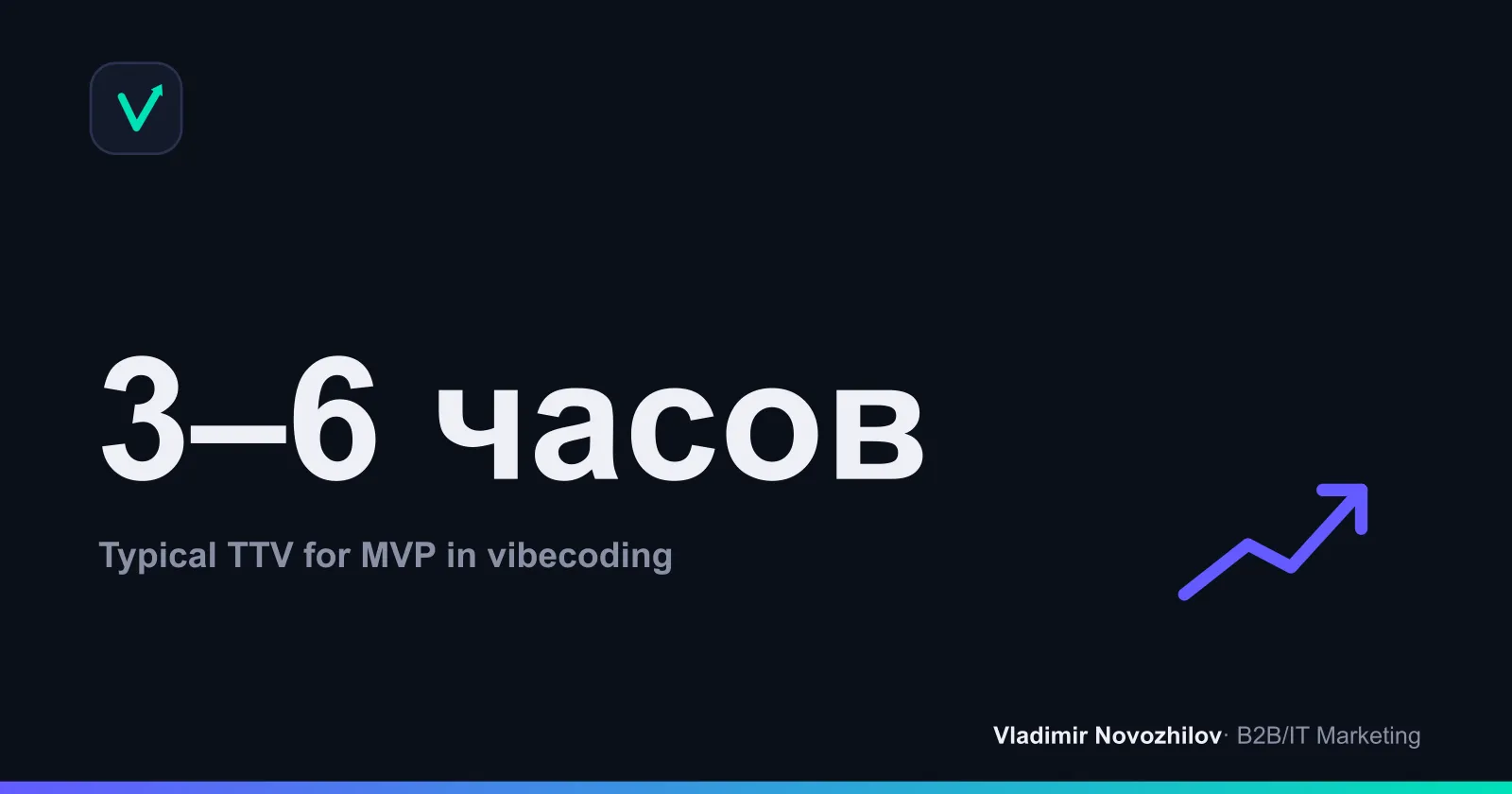
Why start with a Telegram bot (goals and use cases)
Telegram Bot API is simple, the audience is already in the messenger, and the publication/update threshold is minimal. That makes a bot an excellent launchpad.
Goals:
- fast interactive MVPs: lead bot, FAQ, reminders, CRM integration;
- internal assistants: notes, task tracking, alerts.
Typical cases:
- FAQ bot with a knowledge base and buttons;
- collecting requests into a team chat with UTM tags;
- reminders and scheduling for training/onboarding;
- an assistant for internal docs (RAG over files).
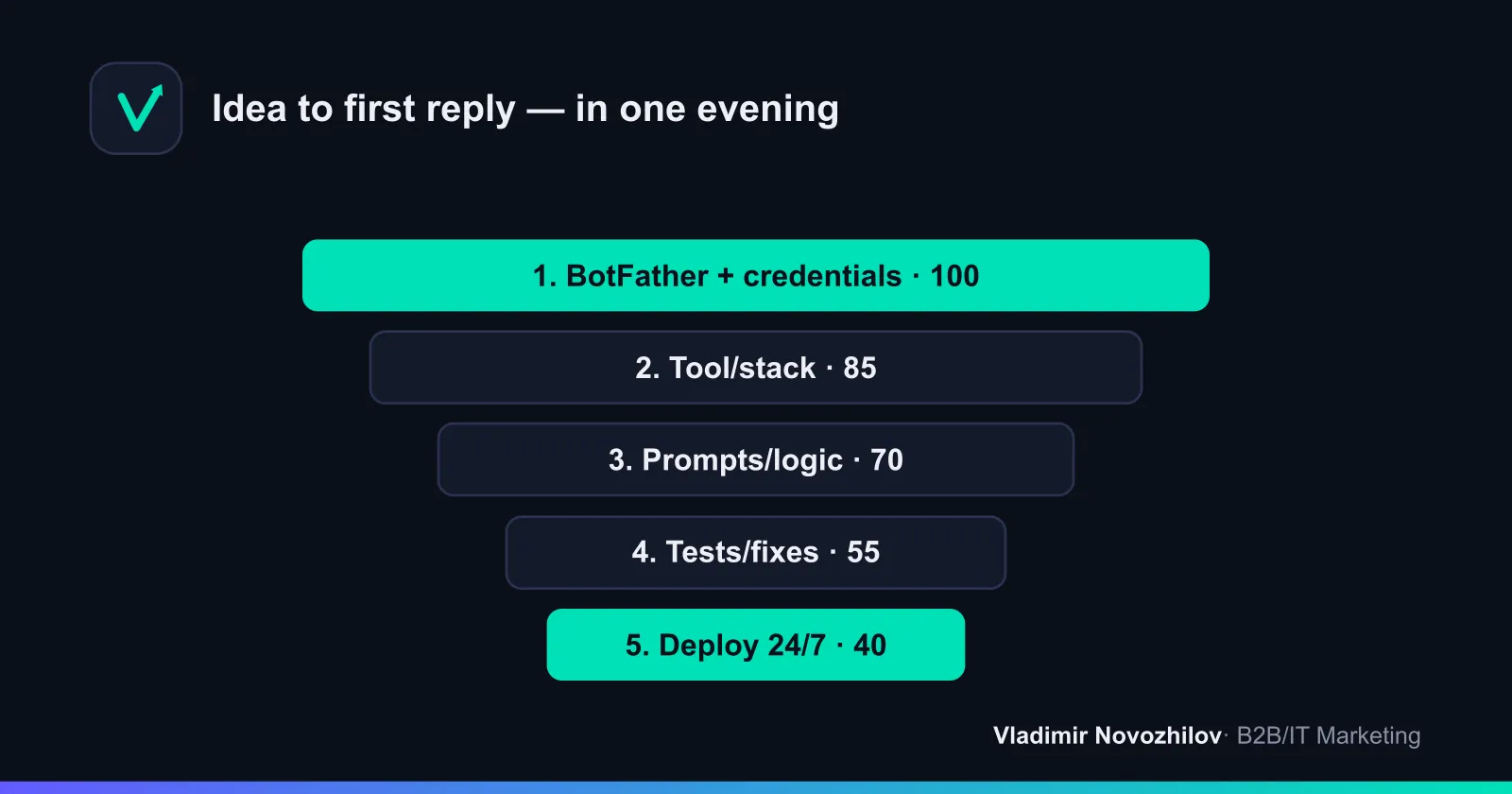
Route by steps: from BotFather to first reply (1–5)
This plan suits both nontechnical people and engineers — it saves hours and avoids wasted attempts:
- BotFather: create a bot, get the token. Think through the name and @username.
- Choose a tool: no‑code builder, n8n, Replit/Bolt.new, Cursor or Claude Code.
- Prompts: describe the behavior, /start command, response formats, constraints.
- Local run and tests: ensure the bot replies and logs errors.
- Deploy 24/7: pick Railway/Render/Fly.io.
Checklist “from 0 to a working bot”:
- BotFather token stored in .env and NOT in git;
- LLM / API token issued; access scoped;
- /start, /help, basic flows work;
- error logging enabled, tracing available;
- deploy and autorestart configured, monitoring uptime/latency in place.
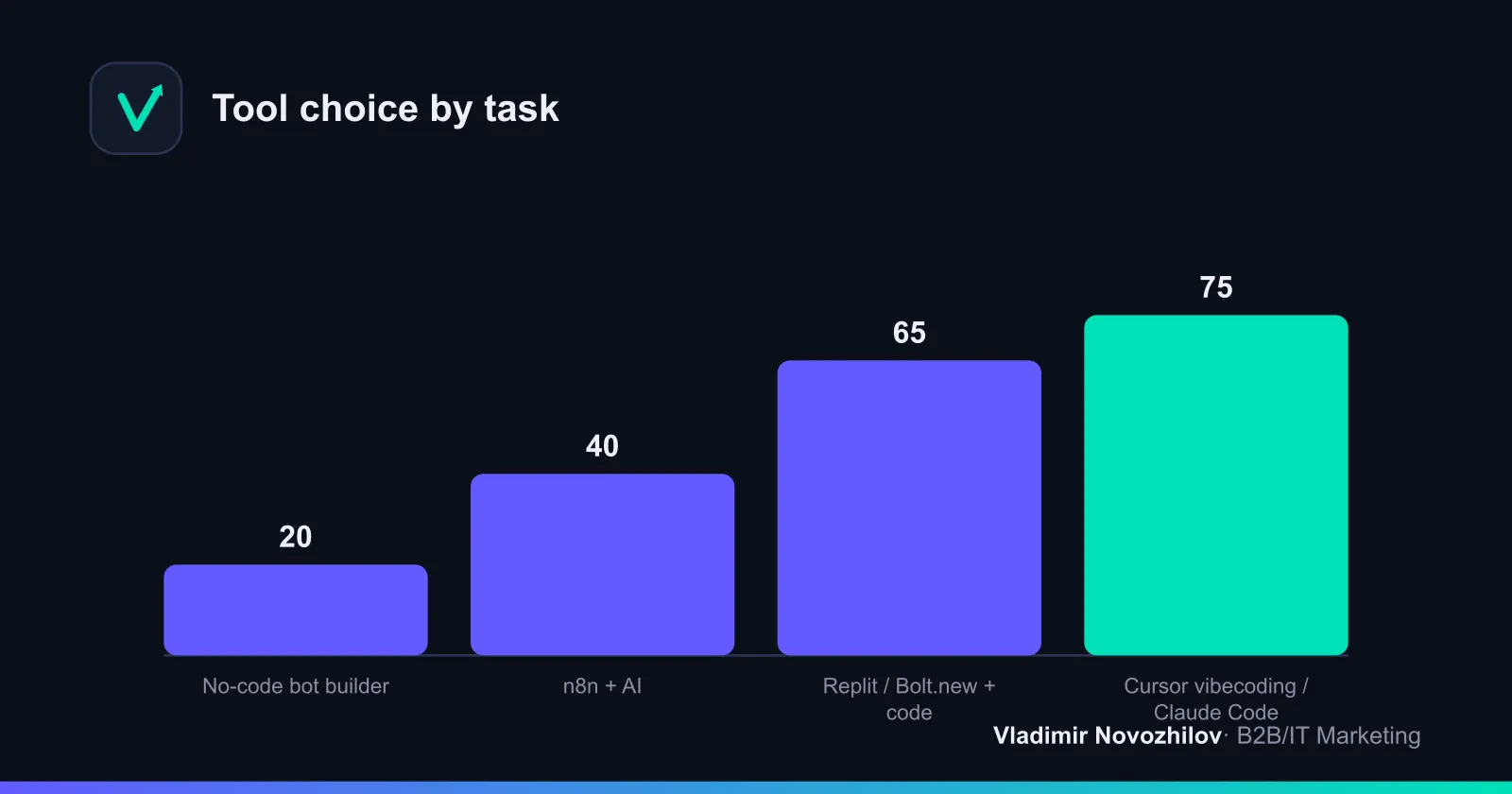
Comparison of approaches and tools: no‑code, n8n, Replit, Bolt.new, Cursor, Claude Code
Below is a short snapshot of the stack. Choose the tool by task and budget.
| Approach | Tools | Complexity | Price (estimate) | When suitable | Pros | Cons |
|---|---|---|---|---|---|---|
| No‑code builder | No‑code bot builders | Low | 0–20$/mo | Simple FAQ/leads | Fast start | Limited logic/integrations |
| Workflow orchestration | n8n | Low–medium | 0–20$/mo (cloud/self-host) | Integrations, triggers | Many connectors | Harder to debug complex logic |
| Online IDE | Replit, Bolt.new | Medium | 0–10$/mo + LLM | Own code, flexibility | Code under control | Requires basic coding skills |
| AI IDE (vibe coding) | Cursor, Claude Code | Medium–high | 10–40$/mo + LLM | Code generation/edits | Fast generation | Needs careful prompts |
Notes for Russia: access to some platforms may require a VPN and a foreign card. Consider local LLMs (Yandex, GigaChat) and clouds in local datacenters — these reduce latency and simplify compliance with law 152‑FZ.
n8n + AI: step‑by‑step breakdown (nodes and flow)
In n8n build logic with blocks: triggers → processing → response.
Steps:
- Credentials: get the bot token from BotFather and an LLM key. Save them as ENV in n8n (Settings → Credentials / Variables).
- Trigger: add a Telegram Trigger (incoming messages). Configure polling.
- Processing: add an AI (LLM) node or a Function to pre‑process, e.g. normalize text.
- Prompt: craft the system and output format. Example system prompt:
You are the Telegram bot of company {{COMPANY}}. Reply briefly and politely. Language — Russian.
If the question is outside the knowledge base, suggest contacting a human (tag @{{OPERATOR}}).
Response structure: 1) short answer; 2) buttons (if applicable); 3) disclaimer about accuracy.- Response: add a Telegram node “Send Message”, pass the text from the LLM.
- Logging/alerts: add a node to write to a table/Google Sheet/DB.
- Test: run the workflow, verify /start, /help and 5–10 typical questions.
Where to add RAG: insert nodes for searching files/tables and pass retrieved context into the LLM prompt.
Replit/Bolt: project and deploy steps
For those who want control over code and dependencies.
- Stack: Python 3.11+, library python-telegram-bot (22+ async). Create a project in Replit or Bolt.new.
- Project files:
requirements.txt
python-telegram-bot==22.3
python-dotenv==1.0.1
uvloop==0.19.0 ; platform_system != 'Windows'
.env (local; in prod — ENV variables)
TELEGRAM_TOKEN=123456:ABC...
ENV=dev
main.py
import asyncio
import logging
import os
from dotenv import load_dotenv
from telegram import Update
from telegram.ext import ApplicationBuilder, CommandHandler, MessageHandler, ContextTypes, filters

load_dotenv()
logging.basicConfig(level=logging.INFO, format="%(asctime)s %(levelname)s %(message)s")
TOKEN = os.getenv("TELEGRAM_TOKEN")

async def start(update: Update, context: ContextTypes.DEFAULT_TYPE):
    await update.message.reply_text("Привет! Я ваш MVP‑бот. Напишите вопрос или команду /help.")

async def help_cmd(update: Update, context: ContextTypes.DEFAULT_TYPE):
    await update.message.reply_text("Доступно: /start, /help. Просто задайте вопрос — отвечу шаблонно.")

async def echo(update: Update, context: ContextTypes.DEFAULT_TYPE):
    text = update.message.text or ""
    # TODO: здесь можно вставить вызов LLM или бизнес‑логику
    reply = f"Вы написали: {text}. Скоро здесь будет интеллект."
    await update.message.reply_text(reply)

async def main():
    application = ApplicationBuilder().token(TOKEN).build()
    application.add_handler(CommandHandler("start", start))
    application.add_handler(CommandHandler("help", help_cmd))
    application.add_handler(MessageHandler(filters.TEXT & ~filters.COMMAND, echo))
    await application.initialize()
    await application.start()
    await application.updater.start_polling()
    await application.updater.idle()

if __name__ == "__main__":
    try:
        asyncio.run(main())
    except (KeyboardInterrupt, SystemExit):
        logging.info("Shutting down...")
Local start:
python -m venv .venv && source .venv/bin/activate
pip install -r requirements.txt
python main.py
Tips:
- store TELEGRAM_TOKEN in Replit/Bolt.new in “Secrets/ENV”;
- add LLM / API tokens for integrations (e.g. external model calls);
- for larger projects use Cursor or Claude Code — they generate and fix code faster via prompts and support MCP (integration protocol) for DB and service access.
Ready prompts and templates for 5 typical bots
Below are ready prompts. Insert them as a system message or “developer instruction” in an AI IDE.
- Support FAQ bot
Role: company {{COMPANY}} support bot. Language — Russian.
Knowledge base: short articles (Q→A). If the question is outside the base — answer “Operator assistance required” and ask for a phone number.
Response format: 1) short reply up to 4 sentences; 2) list of buttons (2–4) with commands; 3) disclaimer: "Answer generated by AI".
Constraints: do not give financial/legal advice; do not collect personal data without consent.- Lead collection bot
Role: lead collection bot. Lead criteria: name, phone, interest.
Flow: /start → greeting → ask questions one by one. Phone validation — regexp. Result — lead card (JSON) + confirmation.
Error handling: if user dodges, repeat the question, offer “Skip”.- Team assistant (notes/tasks)
Role: team assistant. Commands: /note, /list, /done.
Rules: store notes by user_id, format as lists. On /done — mark completed.
Tone: concise, no fluff. Timezone — Moscow.- Reminder bot
Role: user reminders.
Flow: “Remind me tomorrow at 10:30 to call the client” → parse date/time → confirmation → scheduler.
If time is in the past — ask for clarification.- Internal document search bot (RAG)
Role: search answers in PDF/Google Docs, return quotes + links to sections.
If confidence < 0.6 — ask for clarification.
Format: 1) short answer; 2) excerpts with sources; 3) suggested follow‑up questions.
These templates can be used as system prompts in Cursor/Claude Code or in n8n nodes.
Testing and debugging: scenarios and common errors
Minimal test cases:
- /start, /help always reply without errors;
- edge inputs: emojis, empty messages, long texts, attachments;
- 10 FAQ questions; 10 outside the base;
- simulate LLM/network failures — bot replies a fallback phrase;
- load: 20–50 sequential messages in 1–2 minutes without degradation.
What to log:
- input/output events, user_id (hash if needed);
- technical metrics: uptime, latency, cost per request, token usage;
- errors with traces, but without tokens or personal data.
Common mistakes:
- token in repo — add .env to .gitignore;
- hanging on one LLM session — trim context;
- infinite retries — limit attempts and set timeouts.
Deploy 24/7: Railway, Render, Fly.io — instructions and configs
General principle: set environment, describe process, enable autorestart.
Railway (for polling):
- “New Project → Deploy from GitHub”;
- Variables: TELEGRAM_TOKEN, ENV=prod;
- Start Command: python main.py;
- Enable healthchecks. For webhooks you’ll need a public URL and SSL.
Render:
- “New +” → Web Service (for webhooks) or Background Worker (for polling);
- Environment: Python; Start Command: python main.py;
- Environment variables in Settings.
Fly.io (Docker):
Dockerfile
FROM python:3.11-slim
WORKDIR /app
COPY requirements.txt ./
RUN pip install --no-cache-dir -r requirements.txt
COPY . .
CMD ["python", "main.py"]
Commands:
fly launch --now
fly deploy
fly logs
Procfile (if needed for some PaaS):
worker: python main.pyWebhooks vs polling:
- Polling is simpler to start and requires no public HTTPS;
- Webhooks save traffic and reduce latency, but need a public URL and correct 200 OK handling.
Security and secrets: tokens, rotation, logs, permissions
Security checklist:
- store TELEGRAM_TOKEN and LLM/API keys only as environment variables (.env locally, Secrets/ENV on PaaS);
- revoke and rotate keys every 30–90 days;
- separate keys for dev/stage/prod; limit scopes;
- gitignore .env, logs, artifacts; do not log personal data;
- error notifications to a separate channel/email;
- compliance with 152‑FZ: storage/processing of personal data and, if necessary, local hosting.
About AI IDEs:
- Cursor/Claude Code: store secrets in their Secret Store or project environment;
- use MCP (integration protocol) for safe DB/file access via proxy servers.
How much it costs: budget, LLM rates and a sample unit economics
Static formula for estimation:
- Hosting_Cost = fixed/mo (PaaS plan)
- LLM_Cost = N_messages × Avg_tokens × Price_per_1k_tokens / 1000
- Total = Hosting + LLM + 20–30% buffer
Example (estimate):
| Parameter | Value |
|---|---|
| Messages per month | 5 000 |
| Average tokens (prompt+completion) | 800 |
| Price per 1k tokens | 0.002–0.01 USD |
| LLM Cost | 5 000 × 800/1000 × 0.002–0.01 = 8–40 USD |
| Hosting (Railway/Render/Fly.io) | 5–10 USD |
| Total (with 25% buffer) | 16–62 USD/mo |
Unit economics example for a lead bot:
- Conversion to lead: 6%; leads/mo: 5 000 × 6% = 300;
- Cpl_bot = Total / Leads = 16–62 / 300 = 0.05–0.21 USD;
- If average lead value > 0.21 USD — unit economics work.
Options for Russia:
- local LLMs (Yandex, GigaChat) — easier payments, lower latency, comparable rates;
- pay foreign services via cards of friendly jurisdictions or payment intermediaries; some steps may require VPN.
Common mistakes and how to fix them (checklist)
- Spam in one prompt. Fix: separate roles and instructions into modules.
- Leaked tokens. Fix: .gitignore + rotation + secrets only in ENV.
- Single testing. Fix: test matrix and smoke tests before release.
- Missing metrics. Fix: log uptime, latency, cost per request, token usage.
- Blind model/tool choice. Fix: pilot 2–3 options and choose by TCO.
Cases: three finished projects with sources
- Meeting reminder (Python + python-telegram-bot)
- Features: parse “Remind me tomorrow at 10:00”, asyncio scheduler, list of active reminders.
- Scheduler snippet:
from datetime import datetime, timedelta
from asyncio import create_task, sleep

reminders = {}

async def schedule(chat_id, text, when: datetime):
    delay = max((when - datetime.now()).total_seconds(), 0)
    async def job():
        await sleep(delay)
        await app.bot.send_message(chat_id, f"Reminder: {text}")
    task = create_task(job())
reminders.setdefault(chat_id, []).append(task)- FAQ bot with n8n and LLM
- Nodes: Telegram Trigger → Function (text cleanup) → LLM (template from prompts section) → Send Message → Google Sheets (log);
- Behavior: if confidence < 0.6 — ask for clarification, otherwise return citations from the database.
- Mini app “Request scoring” via Bolt.new
- Goal: text input form → sentiment/score → bot response.
- Why this is an “app”: a separate web endpoint + bot wrapper. It demonstrates that you can build an app this way in an evening.
Takeaways
A fast path to an app and a Telegram bot is not “magical AI” but careful architecture: a clear prompt, the right tool, and deployment discipline. If speed matters, start with a bot, validate hypotheses and processes, then scale into a full application. The guide above covers steps from BotFather to 24/7 deploy, a tool table, ready prompts, configs and recommendations on security and budget.
FAQ: short answers to frequent questions
Question: How quickly can I launch a Telegram bot without code? Answer: The simplest path is a no‑code bot builder or n8n: get the token in BotFather, assemble the flow from blocks (trigger → processing → response), add an LLM / API token and deploy to Railway/Render/Fly.io. For complex scenarios use an AI IDE (Cursor/Claude Code) — they generate and fix code from prompts.
Question: Can I build not only a bot but also a web application with this approach? Answer: Yes. Via Replit/Bolt.new or an AI IDE you can build a simple web service with an API and a page in 1–2 evenings. Keep modular architecture, secrets in ENV and follow testing/security checklists.
Question: Which tools should a beginner start with? Answer: Start with a builder for simple scenarios and n8n for integrations. Move to Replit/Bolt.new when you need code control. Cursor and Claude Code are helpful for generating and refactoring code, especially with MCP for DB and external services.
Question: How to quickly scale the bot by load? Answer: Move from polling to webhooks, offload LLM calls to a queue/worker, cache frequent responses, add rate limits and horizontally scale instances. Monitor latency and error rate and keep CPU/RAM headroom.
Question: What if PaaS is unavailable from Russia? Answer: Use a VPN and a foreign card, or local clouds with compatible stacks. Local LLMs reduce latency and payment risks, but validate quality on your cases before production.
FAQ
- How quickly can I launch a Telegram bot without code?
- The simplest path is a no‑code bot builder or n8n: get the token from BotFather, build the flow from blocks (trigger → processing → response), add an LLM/API key and deploy to Railway/Render/Fly.io. For more complex scenarios move to an AI IDE (Cursor/Claude Code): they generate and fix code from prompts.
- Can I build not only a bot but also a web application using this approach?
- Yes. Via Replit/Bolt.new or an AI IDE you can realistically spin up a simple web service with an API and a page in 1–2 evenings. Keep the architecture modular, secrets in ENV, and follow testing and security checklists.
- Which tools should a beginner start with?
- For simple scenarios — a builder; for integrations — n8n. If you need code control — Replit/Bolt.new. For code generation and refactoring use Cursor or Claude Code (especially paired with MCP for safe DB and service access).
- How to scale the bot when load grows?
- Switch from polling to webhooks, push LLM calls to a queue/worker, cache frequent responses, add rate limiting and horizontal scaling. Monitor latency and error rate and keep headroom in CPU/RAM.
- What if PaaS is not available from Russia?
- Use a VPN and a foreign card or local clouds with a compatible stack. Local LLMs reduce latency and simplify payments, but always validate quality on your cases before production.